1
BASIC OPERATION (Continued)
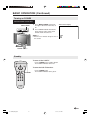
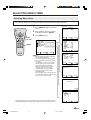
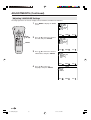
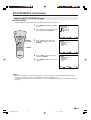
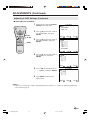
Sound Volume
POWER
1
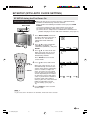
Press VOL (+) to increase the sound
volume. The bar indicator shifts right.
POWER
VOLUME
50
DISPLAY
SLEEP
2
PIC. FLIP
ENTER
MUTE
BRIGHT TV/VIDEO MENU
FLASHBACK
VOL
Press VOL (–) to decrease the sound
volume. The bar indicator shifts left.
CH
VOLUME
10
MUTE
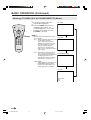
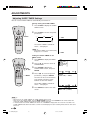
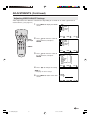
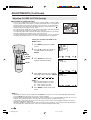
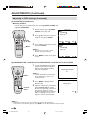
To mute the sound
VOL
(+)/(–)
1
Press MUTE to temporarily turn off
the sound.
is displayed for
The MUTE mark
4 seconds.
2
Press MUTE or VOL (+)/(–) to turn
the sound back to the previous level.
The mute function is automatically
turned off when any of the following
buttons are pressed: POWER,
VOL (+)/(–) or MTS.
MTS
VOLUME
30
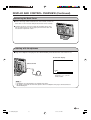
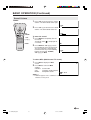
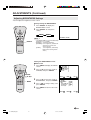
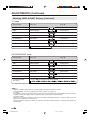
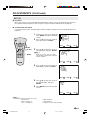
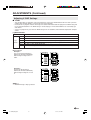
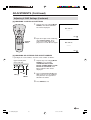
To select MTS (Multichannel TV Sound)
1
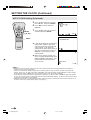
Press MTS to display the MTS
screen.
2
Press MTS
settings.
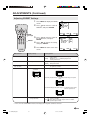
STEREO:
SAP:
MONO:
2
to select the MTS
stereo audio
secondary audio program
monophonic audio
A
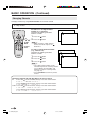
• <ON AIR appears when a STEREO or SAP
broadcast is being aired.
STEREO < ON A I R
SAP
MONO
23
LC-15B4U(Mex)(E)-b
23
03.7.31, 0:18 PM