1
ADJUSTMENT (Continued)
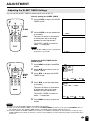
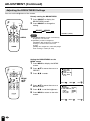
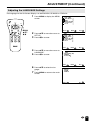
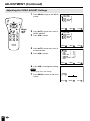
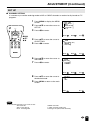
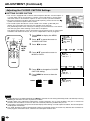
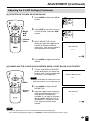
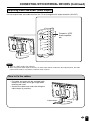
Adjusting the BLUE SCREEN Settings
■ BLUE SCREEN
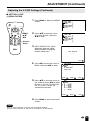
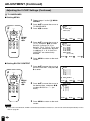
Automatically turns the screen blue if a broadcast signal is not received.
POWER
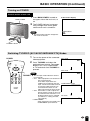
1
Press MENU to display the MENU
screen.
2
Press ]/[ to move the cursor to
SET UP.
3
Press </ > to enter.
DISPLAY
SLEEP
BRIGHT
MENU
SLEEP T IMER
V I DEO ADJUST
PRESET
CLOSED CAPT I ON
V–CH I P BLOCK
SET UP
MENU
MUTE
FLASHBACK
VOL
SELECT :
TV/VIDEO
CH
1
2
3
4
5
6
7
8
9
MTS
0
100
MENU/
]/[/
</ >
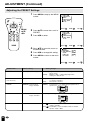
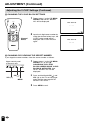
4
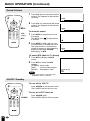
Press ]/[ to move the cursor
to BLUE SCREEN.
Press </ > to select ON or OFF.
Press MENU to return to the main
screen.
EX I T : MENU
SET UP
RETURN
BLUE SCREEN [ OFF ]
LANGUAGE
CH–SETT I NG
SELECT :
5
6
ENTER :
ADJUST :
EX I T : MENU
SET UP
RETURN
BLUE SCREEN [ ON ]
LANGUAGE
CH–SETT I NG
SELECT :
ADJUST :
EX I T : MENU
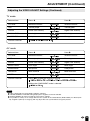
Notes:
■ When received signals are weak or interfered with by some other signals, the BLUE SCREEN function may be
activated. To watch the TV under such conditions, set BLUE SCREEN to OFF.
■ When the AV-IN1, AV-IN2 or COMPONENT input mode is selected, if no signal is being input, the BLUE SCREEN
function is activated.
27