1
Table of Contents
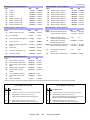
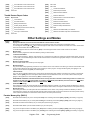
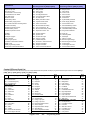
Dialer Options .............................................................. 38
Other Options .............................................................. 38
Communication Settings .............................................. 39
System Event Call Direction ........................................ 40
VDMP3 Voice Module .................................................. 41
Partition Settings .......................................................... 42
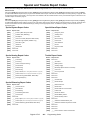
Special and Trouble Report Codes .............................. 48
Other Settings and Modes ........................................... 49
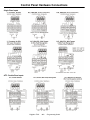
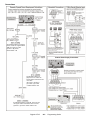
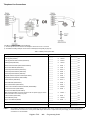
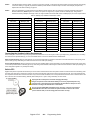
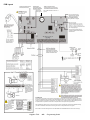
Control Panel Hardware Connections ......................... 55
LCD Keypad Programming .......................................... 60
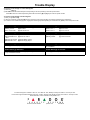
Trouble Display ............................................................ 68
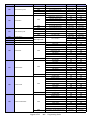
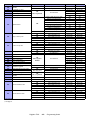
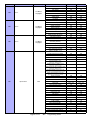
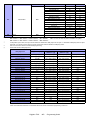
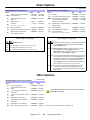
Zone Programming ....................................................... 9
Zone Information ......................................................... 10
Keyswitch Programming ............................................. 19
Programmable Outputs ............................................... 21
User Code Options ...................................................... 29
Arming and Disarming Report Codes ......................... 30
Access Control Sections ............................................. 31
Keypad Numbering ..................................................... 35
Remote Control Programming .................................... 35
Control Panel Settings ................................................ 36
System Options ........................................................... 36
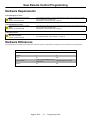
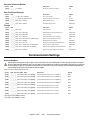
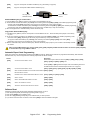
Warning or important information.
Suggestion or reminder.
Things You Should Know
About This Programming Guide
This programming guide should be used in conjunction with the EVO Reference & Installation Manual which can be downloaded from our website at
paradox.com. Use this guide to record the settings programmed for this console.
Installer Code (Default: 000000)
The Installer code is used to enter programming mode, which allows you to program all the features, options and commands of the EVO except user codes.
To modify the installer code, refer to section [1000], Installer Code Programming on page 28.
System Master Code (Default: 1234 / 123456)
With the System Master code a user can use any arming method and can program user codes. The System Master code can be 4 or 6 digits in length.
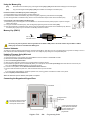
Panel and Codes Reset
To reset the system back to the factory defaults or custom defaults (if they have been programmed), press and hold the Reset button and the Aux button for
4 seconds (See “PCB Layout” on page 65.)
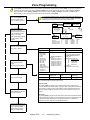
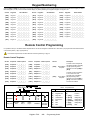
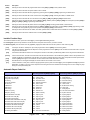
Entering Programming Mode
1)
2)
3)
4)
Press and hold the [0] key
Enter your [installer code]
Enter 4-digit [section] you wish to program
Enter required [data]
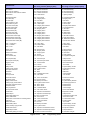
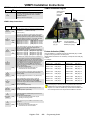
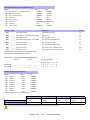
Decimal and Hexadecimal Programming Table
Certain sections may require the entry of one or more Hexadecimal values from 0 to F.
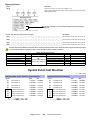
For LCD keypads:
Key
[0] to [9]
Value or Action
Key
Value or Action
[BYP]
0 to 9 (Hex & Decimal)
E (Hex Only)
[STAY]
A (Hex Only)
[MEM]
[FORCE]
B (Hex Only)
[CLEAR]
Exit section without saving (Hex & Decimal)
F (Hex Only)
[ARM]
C (Hex Only)
[ENTER]
Save current data and advance to next section (Hex Only)
[DISARM]
D (Hex Only)
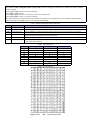
For Grafica keypads:
[0] to [9]
[#]
= values 0 to 9 respectively
= A to F (press the [#] key until the
desired letter appears)
Right Action Key (Exit)
Center Action Key (Save)
Digiplex -EVO-
-3-
= Exit section without saving
= Save current data and advance to next
section
Programming Guide