1
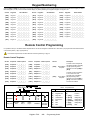
New Remote Control Programming
Hardware Requirements
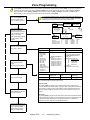
If the EVO48 System Includes:
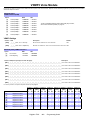
Up to 96 remote controls can now be programmed into the EVO control panel and configured
using a master code or installer code.
See “Remote Control Programming” on page 35.
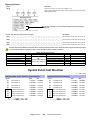
MG-RTX3 Wireless Expansion Module
And
EVO641 / EVO641R keypad
If the EVO192 System Includes:
Up to 999 remote controls can now be programmed into the EVO control panel and configured
using a master code or installer code.
See “Remote Control Programming” on page 35.
MG-RTX3 Wireless Expansion Module
And:
EVO641 / EVO641R keypad
If the System Includes:
MG-RTX3 Wireless Expansion Module
But does not include:
EVO641 / EVO641R keypad
Remote controls must be stored in the wireless expansion module (32 remotes per MG-RTX3).
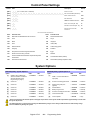
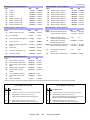
See “SECTION [3029] : System Options 1” on page 36.
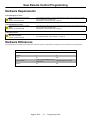
Hardware Differences
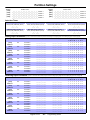
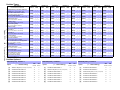
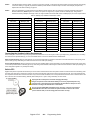
The programming for the EVO48 and EVO192 panels is identical. However, certain differences may affect how many elements can be programmed.
Feature
EVO48
EVO192
Zones
48
192
Partitions
4
8
Users
96
999
On-board PGMs
2 (with 2 optional PGM output and 1
optional relay)
5 (4 PGM outputs and 1 relay)
Modules
127
254
Digiplex -EVO-
-2-
Programming Guide