1
Table of Contents
COPYRIGHT ................................................................................................. 4
REGULATORY STATEMENT ................................................................................. 4
Federal Communications Commission Statement .......................................................................................................... 4
Declaration of Conformity ............................................................................................................................................... 4
RF exposure warning........................................................................................................................................................ 5
Canada, Industry Canada (IC) Notices ........................................................................................................................... 5
Battery Disposal................................................................................................................................................................ 6
CLASS 1 LASER PRODUCT ........................................................................................................................................... 6
BEFORE YOU START ................................................................ 8
PACKAGE CONTENTS ...................................................................................... 8
FEATURES ................................................................................................... 9
COMPONENTS ............................................................................................ 10
Front View ....................................................................................................................................................................... 10
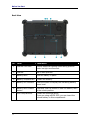
Back View ........................................................................................................................................................................ 12
Left View .......................................................................................................................................................................... 13
Right View........................................................................................................................................................................ 13
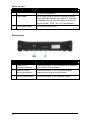
Bottom View..................................................................................................................................................................... 14
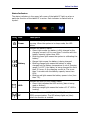
Status Indicators.............................................................................................................................................................. 15
GETTING STARTED ................................................................ 16
POWERING UP YOUR TABLET PC ...................................................................... 16
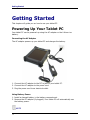
Connecting the AC Adapter............................................................................................................................................ 16
Using Battery Power ...................................................................................................................................................... 16
INSTALLING THE BATTERIES ............................................................................ 17
Charging the Battery ...................................................................................................................................................... 17
Charging Time ................................................................................................................................................................ 18
Checking the Battery Level............................................................................................................................................. 18
Checking the Battery Pack Power Level ....................................................................................................................... 19
When to replace the Battery Pack .................................................................................................................................. 19
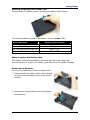
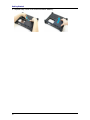
Removing the Batteries ................................................................................................................................................... 19
STARTING YOUR TABLET PC............................................................................ 21
Turning On Your Tablet PC ........................................................................................................................................... 21
Changing the Display Orientation ................................................................................................................................. 21
Shutting Down Your Tablet PC...................................................................................................................................... 21
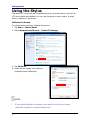
USING THE STYLUS ...................................................................................... 22
Calibrate the Screen ....................................................................................................................................................... 22
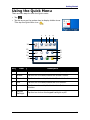
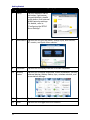
USING THE QUICK MENU ............................................................................... 23
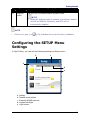
CONFIGURING THE SETUP MENU SETTINGS ........................................................ 25
Configuring Hotkey ........................................................................................................................................................ 26
Configuring Stealth Mode Button Setting ...................................................................................................................... 27
Configuring External WWAN Antenna Switching Mode .............................................................................................. 28
2