1
Before you start
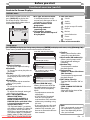
Precautions
NOTE:
This unit can be used only where the power supply is
AC 220–240V ~ ± 10%, 50Hz ± 0.5%. It cannot be used
elsewhere.
CAUTION:
USE OF CONTROLS OR ADJUSTMENTS OR
PERFORMANCE OF PROCEDURES OTHER THAN
THOSE SPECIFIED HEREIN MAY RESULT IN
HAZARDOUS RADIATION EXPOSURE.
AS THE LASER BEAM USED IN THIS UNIT IS
HARMFUL TO THE EYES, DO NOT ATTEMPT TO
DISASSEMBLE THE CABINET. REFER SERVICING TO
QUALIFIED PERSONNEL ONLY.
WARNING:
TO REDUCE THE RISK OF FIRE OR ELECTRIC SHOCK,
DO NOT EXPOSE THIS EQUIPMENT TO RAIN OR
MOISTURE.
TO REDUCE THE RISK OF FIRE OR ELECTRIC
SHOCK, AND ANNOYING INTERFERENCE, USE THE
RECOMMENDED ACCESSORIES ONLY.
TO PREVENT FIRE OR SHOCK HAZARD, DO NOT
EXPOSE THIS APPARATUS TO DRIPPING OR
SPLASHING, NO OBJECTS FILLED WITH LIQUIDS,
SUCH AS VASES, SHOULD BE PLACED ON THE
APPARATUS.
Laser Diode Properties
Material:
GaAs
Wave length:
DVD: 658 nm
CD: 790 nm
Emission Duration: Continuous
Laser output:
Max. 19 mW
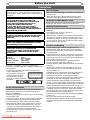
• This unit is classified as a CLASS 1 LASER product.
• The CLASS 1 LASER PRODUCT marking is embossed on
the rear cover.
• This product contains a low power laser device. To
ensure continued safety,
do not remove any cover or
CLASS 1 LASER PRODUCT
CLASSE 1 PRODUIT LASER
attempt to gain access to
PRODUCT CON LASER CLASE 1
the inside of the product.
Refer all servicing to qualified
personnel.
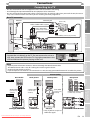
S-VIDEO
COMPONENT
VIDEO OUTPUT
IN
AV2 (DECODER)
OUT
IN (AV3)
AUDIO IN ANALOG
(AV3) AUDIO OUT
Y
L
L DIGITAL AUDIO OUTPUT
PCM/BITSTREAM
R
R
PB/CB
OUT
ANTENNA
AV1 (TV)
PR/CR
COAXIAL
Power Cord Protection
To avoid any malfunctions of the unit, and to protect
against electric shock, fire or personal injury, please
observe the following.
• Hold the plug firmly when connecting or disconnecting
the AC power cord.
• Keep the AC power cord away from heating appliances.
• Never put any heavy object on the AC power cord.
• Do not bundle any cables such as; AC power cord,
Round Coaxial cable or other cables that are used to
connect this unit to your TV together. Or never put
any cables on the top panel of this unit. The noise or
disturbance of the picture may be generated.
• Do not attempt to repair or reconstruct the AC power
cord in any way.
Downloaded From Disc-Player.com Sharp Manuals
2
EN
Nonuse Periods
• When the unit is not being used, switch the unit to the
standby mode.
• When left unused for a long period of time, the unit
should be unplugged from the household AC outlet.
No Fingers or Other Objects Inside
Do not put your fingers or objects on the disc tray.
Warning of Dew Formation
Moisture may form inside the unit under the following
conditions:
• Immediately after a heater is turned on.
• In a steamy or humid room.
• When the unit is suddenly moved from a cold to warm
environment. If moisture forms inside this unit, it may
not operate properly or damage the video tape. In such
case, turn on the power and wait for more than 2 hours
for the moisture to evaporate.
Location and Handling
• Do not stand the unit vertically. Install the unit in a
horizontal and stable position. Do not place anything
directly on top of the unit. Do not place the unit directly
on top of the TV.
• Depending on the TV, noise or disturbance of the picture
and/or sound may be generated if the unit is placed too
close to your TV. In this case, please ensure enough space
between your TV and the unit.
• Do not cover or place the unit in enclosed spaces to
prevent excessive temperature build up.
• Keep the distances 20cm around apparatus of ventilation
openings.
• Do not place the unit in direct sunlight, or near heat
sources. Do not place any combustible objects on the
device (candles, etc.).
• Depending on the environment, the temperature of the
unit may increase slightly. This is not a malfunction.
• Keep the unit away from strong magnetic objects.
• Do not place any object containing water or other liquids
on the unit. In the event that liquid should enter the
cabinet, unplug the unit immediately and contact the
retailer or service centre approved by SHARP immediately.
• Do not remove the unit cabinet. Touching parts inside the
cabinet could result in electric shock and/or damage to
the unit. For service and adjustment inside the cabinet, call
a qualified dealer or service centre approved by SHARP.
• Be sure to remove a disc and unplug the AC power cord
from the output before carrying the unit.
• Disconnect the mains plug to shut off when find troubles
or not in use.
• The mains plug shall remain readily operable.
• Read both manual instructions to ensure correct and safe
installation and interconnection of the unit in multimedia
systems.