1
M2 WL
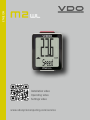
Display
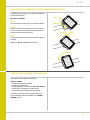
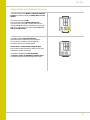
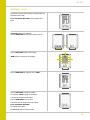
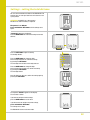
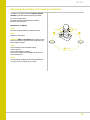
The VDO M2 WL has a large, easy-to-read display that can be
divided into three areas.
–The top line of the display shows the value for the
selected function.
–The middle line displays “am” or “pm” if the 12-hour
clock format is used. It also displays whether kmh or mph
has been selected for the speed indicator. On the left of this
line are arrows that indicate whether the current speed is
above or below than the average speed.
–The bottom line of the display shows the name of the
selected function in clear text.
TOP
MIDDLE
BOTTOM
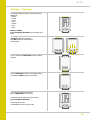
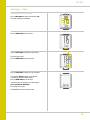
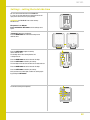
Only ONE function at a time appears on the display.
To return to the speed indicator from a selected function,
e.g. ride time, press the SET button.
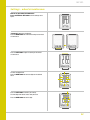
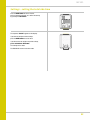
The SETTINGS can also be used to establish that the speed
indicator is automatically displayed from all other functions
after five seconds.
See page 18: Settings – speed indicator settings
Buttons
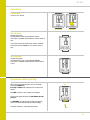
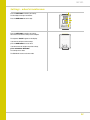
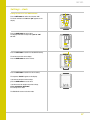
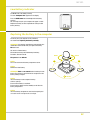
The VDO M2 WL has two buttons
BIKE
In function mode:
– Access functions
– Reset trip data to zero
(press and hold the button)
In setting mode:
– Scroll in the setting menu
– Change the data to be set
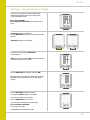
SET
In function mode:
– Return to the speed indicator
from any display function
– Open setting mode
(press and hold the button)
In setting mode:
– Open the setting
– Confirm the setting once ready
– Exit setting mode
and return to function mode
3