1
M2 WL
Preface
Congratulations
In choosing a VDO computer, you have opted for high-quality
device with first rate technology.
To optimally use the computer, we recommend that you read
this manual carefully. It contains full operating instructions
and many useful tips.
We hope you enjoy cycling with your VDO computer.
Cycle Parts GmbH
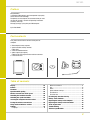
Pack contents
First, please ensure that the contents of this pack are
complete:
1 VDO computer, battery separate
1 speed transmitter, battery installed,
rubber shim
1 universal handlebar bracket
1 spoke magnet (clip magnet)
Cable ties for attaching the bracket and the transmitter
1 Instruction manual
Table of contents
Display................................................................... 03
Buttons .................................................................. 03
Functions ............................................................... 04
Operation while cycling .......................................... 05
Wireless transmission of the speed ........................ 06
Attaching the handlebar bracket ............................ 06
Attaching the speed transmitter ............................. 07
Inserting the computer into the bracket .................. 08
Testing the wireless transmission .......................... 08
Sleep mode and wireless receiver .......................... 09
Settings ................................................................. 10
Language........................................................................ 10
Wheel circumference...................................................... 11
Unit................................................................................. 14
Clock.............................................................................. 15
Speed indicator settings.................................................. 18
Total distance.................................................................. 19
Total ride time................................................................. 20
Resetting trip data after the trip ............................. 22
Battery status indicator .......................................... 23
Replacing the battery in the computer .................... 23
Replacing the battery in the transmitter ................. 24
Terms of guarantee ................................................ 25
Troubleshooting ..................................................... 26
Technical specifications ......................................... 26
2