1
SanDisk Sansa Clip MP3 & Audio Book Player
Getting Started Operating the Player
Step 1
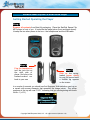
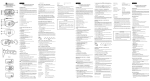
Remove all contents from Beta Kit packaging. Place the SanDisk Sansa Clip
MP3 player in front of you. It looks like the image below (front and back shown).
Unwrap the two other pieces in the box – the headphones and the USB cable.
Step 2
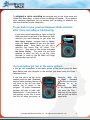
Plug the headphones
into the jack slot on
the right side of
player and place the
foamed-covered ear
buds in your ears
Step 3
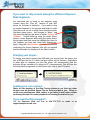
Slide up the springloaded power switch
for one full second until
a SanDisk log appears
on the screen
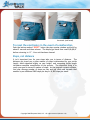
In a couple of seconds you should see first Empower Walk selection cued up on
a screen with screen elements that resemble the image below. The yellow
numbers at the top will read “01/31” indicating that you are beginning with audio
file No. 1 (of 31).
Copyright 2008 Empower Walk, LLC – all rights reserved (Version 1.0)
1