1
TOP
Back
Before Using the
Machine
1
Document and Paper
2
Sending and
Receiving
3
Evergy Saver key 1-6
F
FAX/TEL 3-24
4
System Manager
Settings
Error codes 8-16
External device jack 1-5
Copying
Printing (FAX-L160
Only)
E
Fax dialing features 3-18
Image quality
Copying 4-3
Faxes 3-6
Image Quality key 1-8
J
Jams
Document 8-3
Paper 8-5
6
Maintenance
7
Troubleshooting
8
Appendix
9
N
Notch 1-3
Numeric keys 1-8
O
OK key 1-6
G
Line jack 1-5
Overseas number 3-21
Glossary 9-26
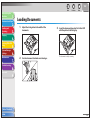
Loading
Document 2-4
Paper 2-8
Loading Envelopes 2-8
Fuser Roller 7-6
Group dialing
Adding recipients 3-11
Changing name 3-12
Deleting group 3-13
Deleting recipients 3-12
Registering group 3-10
Using 3-15
L
M
Machine components 1-3
Machine settings 9-3
H
Maintaining the toner cartridge 1-12
Handset cable retainer 1-5
Maintenance 7-1
Handset jack 1-5
Manual reception 3-25
Hook key 1-8, 3-17
Manual sending 3-17
I
Memory reception 3-25
If a power failure occurs 8-36
Menu
Accessing 9-3
Setting 9-5
If you cannot solve a problem 8-37
Index
Menu key 1-7
LCD
Messages 8-10
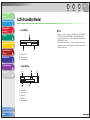
Standby mode 1-9
LCD display 1-6
Fax numbers
Registering in Address Book 3-7
FAX SETTINGS 9-3, 9-7
Memory lock reception 3-26
Table of Contents
Next
One-touch speed dialing keys 1-6
Deleting 3-10
Editing 3-9
Registering 3-7
Storing/Editing 3-7
Using 3-14
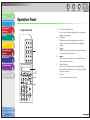
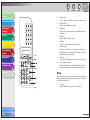
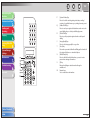
Operation panel 1-3, 1-6
Fax mode 1-9
5
Previous
P
Paper
Jams 8-5
Loading 2-8
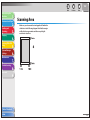
Printable area 2-7
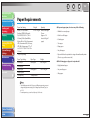
Requirements 2-5
Size and type 2-11
Paper delivery tray 1-3
Paper delivery tray extension 1-3
PAPER JAM message 8-5
Paper requirements 2-5
PAPER SETTINGS 9-3, 9-5
Paper stack cover 1-4
Power failure 8-36
Power socket 1-5
Printable area 2-7
9-33