1
Contents
Compliance Information...........................................................................................i
Declaration of RoHS Compliance............................................................................ii
Copyright Information..............................................................................................iii
Product Registration................................................................................................iii
Important Safety Instructions..................................................................................iv
Getting Started.................................................................... 1
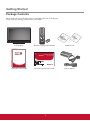
Package Contents.....................................................................................................1
Installing the LCD Display........................................................................................2
Installing the Stand.............................................................................................. 2
Disconnecting the Stand.....................................................................................2
Mounting ViewSonic LCD display to the wall......................................................3
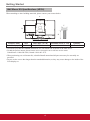
Wall Mount Kit Specifications (VESA).................................................................4
Front View of the Product........................................................................................5
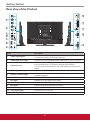
Rear View of the Product.........................................................................................6
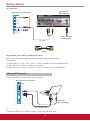
Connecting the LCD Display....................................................................................7
HD Cable Box/HD Satellite Box..........................................................................7
Personal Computer............................................................................................. 9
Using the LCD Display Features....................................... 11
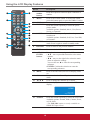
Remote Control and LCD Display Controls............................................................11
Inserting Remote Control Batteries.....................................................................11
Remote Control and LCD Display Controls.........................................................11
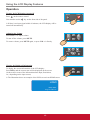
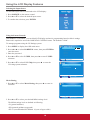
Operation...................................................................................................................13
Other Information............................................................... 26
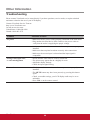
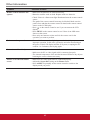
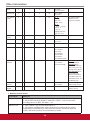
Troubleshooting........................................................................................................26
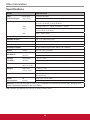
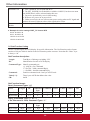
Specifications............................................................................................................28
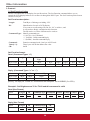
RS232 Protocol.........................................................................................................29
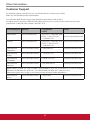
Customer Support....................................................................................................37
Limited Warranty.......................................................................................................38
Mexico Limited Warranty.........................................................................................39