1
While the continuous-tone contrast range of film is still greater than even the highest definition video, there are many compelling arguments for shooting digitally, not the least of which is
cost. Many independent filmmakers used to have to scavenge leftover film remnants to complete
a project; today the lower cost of digital video is making it possible for more indies than ever
before to be produced and distributed. In consumer electronics, an ever-growing selection of
digital video camcorders offers impressive quality at an affordable price.
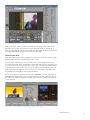
Video post-production has moved from analog tape-to-tape editing to the world of digital nonlinear editing (NLE).
The advantages of using a computer for video production activities such as nonlinear editing
are enormous. Traditional tape-to-tape editing follows a linear path, like writing a letter with
a typewriter. If you want to insert new video at the beginning or middle of a finished project,
you have to reedit everything after that point. Desktop video, however, enables you to work with
moving images in much the same way you write with a word processor. Your movie document
can quickly and easily be edited and reedited, including adding music, titles, and special effects.
Frame rates and fields
When a series of sequential pictures is shown in rapid succession, an amazing thing happens.
Instead of seeing each image separately, we perceive a smoothly moving animation. This is the
basis for film and video. The number of pictures shown per second is called the frame rate.
It takes a minimum frame rate of about 10 frames per second (fps) for the viewer to perceive
smooth motion. Below that speed, a person can perceive the individual still images and motion
appears jerky. To avoid that flicker between frames, you need a frame rate of between 30 and 45
fps. Film has a frame rate of 24 fps. Television has a frame rate of approximately 30 fps (29.97
fps) in the U.S. and other countries that use the National Television Systems Committee (NTSC)
standard, and roughly 25 fps in countries that use the Phase-Alternating Line (PAL) and Sequentiel Couleur Avec Memoire (SECAM) standards.
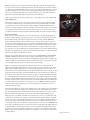
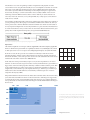
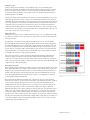
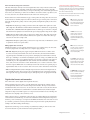
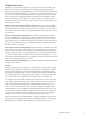
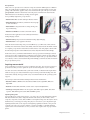
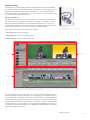
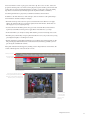
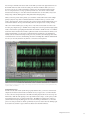
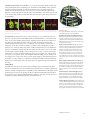
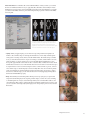
Before nonlinear editing systems and graphical
Interfaces, projects were edited linearly with
multiple videotape recorders using timecode.
There are two ways that a frame can be presented to a viewer: progressively or with interlaced
scanning. With film, the shutter in a projector displays each frame in its entirety, and then
displays the next frame. This progressive method of displaying complete frames is similar to the
manner in which a computer display is refreshed. A whole new image is scanned about 60 times
a second. Digital television sets are also capable of progressive display.
Interlaced scanning was developed in the early days of television to accommodate the old
cathode ray tube (CRT). Inside the tube, an electron beam scans across the inside of the screen,
which contains a light-emitting phosphor coating. Unlike the phosphors used in today’s computer monitors, those used when televisions were first invented had a very short persistence. That
means the amount of time they could remain illuminated was short. In the time it took the electron beam to scan to the bottom of the screen, the phosphors at the top were already going dark.
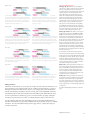
To solve this problem, the early television engineers designed an interlaced system for scanning
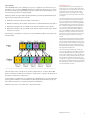
the electron beam. With an interlaced system, the beam only scans the odd-numbered lines the
first time, and then returns to the top and scans the even-numbered lines. These two alternating
sets of lines are known as the upper (or odd) and lower (or even) fields in the television signal.
A television that displays 30 frames per second is really displaying 60 fields per second—two
interlaced images per frame.
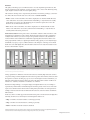
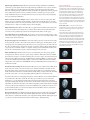
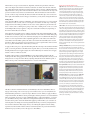
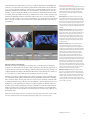
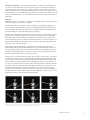
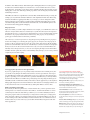
Why is the frame/field issue of importance? Imagine that you are watching a video of a ball flying
across the screen. In the first 1/60th of a second, the TV scans all of the odd lines in the screen
and shows the ball in position at that instant. Because the ball continues to move, the even lines
that are scanned in the next 1/60th of a second show the ball in a slightly different position.
With progressive scan, all lines of a frame show an image that occurs at one point in time; with
interlaced scan, even lines occur 1/60th of a second later than the odd lines. Because of this difference, you need to consider fields and frames when you want to display an interlaced image on
a progressive-scanned monitor. This situation most often occurs when you edit interlaced video
on a computer. If the video is destined for computer playback, you can convert or deinterlace the
video using your editing program or capture device. However, if the final video will be played on
a standard television, through a DVD or tape, you need to maintain interlacing while you edit.
In either case, if you are using Adobe® Premiere® Pro software for video editing or Adobe After
Effects® software for creating motion graphics and visual effects, you can easily work with either
scanning method.
A Digital Video Primer