1
I
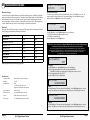
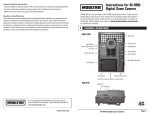
CAMERA OVERVIEW (cont.)
IRAIM / ON / OFF
X
MOULTRIE ACCESSORIES
Using a Tree Mount
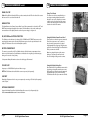
IR Aim - When IR Aim is ON and the PIR sensor detects motion, the red LED on the front of the camera
will come on for 2 seconds and then shut off.
MENU BUTTON
The Menu Button selects Camera Setup or Main Screen. When camera mode is selected, the LEFT and
RIGHT buttons navigate through the menu options. The Menu Button is also used to wake-up the
camera and turn on the display when the camera is in power saving (or sleep) mode.
OK, UP/DOWN and LEFT/RIGHT BUTTONS
The OK button selects the item to be changed. The UP/DOWN and LEFT/RIGHT buttons are used to
step through the menu options. Pressing the OK button again, selects the option indicated on the
display. The OK button is also used to manually take a picture.
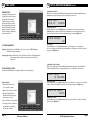
The camera can also be mounted directly to a
tree using a mounting bracket that attaches
directly to a tree or pole. Strap the tree mount
to the tree and secure, then attach the camera
to the tree mount using the tree mount socket
located on the back of the camera.
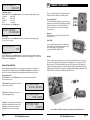
Using the Moultrie Camera Power Panel
BATTERY COMPARTMENT
Place near the tree where the camera is mounted.
Place for best exposure to sun. To attach to a
tripod secure the power panel to the tripod
angled upward for best exposure. Plug the power
panel to the Power Panel Plug. This will extend the
life of your camera in the field.
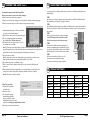
The camera is powered by six (6) C-cell alkaline batteries. Push the battery compartment release
button to eject the battery tray. Install batteries as indicated on the engravings on the battery tray,
taking care to note the correct polarity.
Note: Leave internal batteries in the camera
during use. The Camera Power Panel needs
4 hours of sunlight to fully power the camera.
See Important Battery Information section on the back page of this manual.
Using the Moultrie Battery Box
SD CARD SLOT
Accepts up to a 32GB SD Card for photo and video storage.
NOTE: An SD Card must be installed for the camera to operate (sold separately).
USB PORT
Extend the field life of your Moultrie camera with a
long-lasting, rechargeable external power source.
Place near the tree where the camera is mounted.
Plug the Battery Box to the Power Panel Plug.
This will extend the life of your camera in the field.
Download still pictures and video onto your computer by connecting a USB cable (sold separately)
to the USB port.
EXTERNAL POWER PORT
Accepts the Moultrie PowerPanel or Moultrie Battery Box accessories (sold separately) only.
Refer to www.moultriefeeders.com for more information.
Page 2
D-333 Digital Game Camera
D-333 Digital Game Camera
Page 15