1
I
CAMERA OVERVIEW (cont.)
VII
CAMERA SPECIFICATIONS
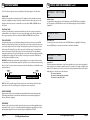
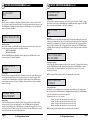
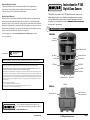
ON / OFF / AIM
Photo Resolutions (Single)
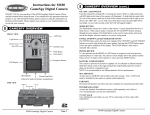
Used for turning On, turning Off, or IR testing. When AIM is ON, the red AIM LED light on the front of
the camera will illuminate. When Aim is ON and the PIR sensor detects motion, the red LED on the
front of the camera will come on for 2 seconds and then shut off.
0.5 MP
854 x 480
2.0 MP
1920 x 1080
4.0 MP
2560 x 1440
6.0 MP
3340 x 1872
MODE BUTTON
8.0 MP
3840 x 2160
The Mode Button selects Camera Setup or Main Screen. When camera mode is selected, the UP and
DOWN buttons navigate through the menu options. The Mode Button is also used to wake-up the
camera and turn on the display when the camera is in power saving (or sleep) mode.
Photo Resolutions (Panoramic)
0.5 MP
2544 x 480
2.0 MP
3360 x 630
ENTER, UP/DOWN and LEFT/RIGHT BUTTONS
4.0 MP
4800 x 900
The ENTER button selects the item to be changed. The UP/DOWN and LEFT/RIGHT buttons are used to
step through the menu options. Pressing the ENTER button again, selects the option indicated on the
display. The ENTER button is also used to manually take a picture.
6.0 MP
5760 x 1080
8.0 MP
6384 x 1197
BATTERY COMPARTMENT
VGA
848 x 480 @ 24fps
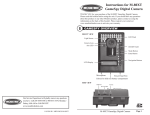
The camera is powered by six (6) C-cell alkaline batteries. Slide the Unlock switch to the front and grab
the small handle under the switch to slide-out the battery compartment tray.
HD
1280 x 720 @ 24fps
Approximate photos stored 4GB SD card
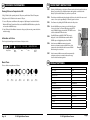
As you walk towards center the LED will appear brighter.
SD CARD SLOT
Accepts up to a 32GB SD Card for photo and video storage.
NOTE: An SD Card must be installed for the camera to operate (sold separately).
Video Resolutions
0.5 MP
23,000
2.0 MP
4,500
4.0 MP
3,600
8.0 MP
2,500
USB PORT
Approximate video time stored 4GB SD card
Download still pictures and video onto your computer by connecting a mini-USB cable (sold separately)
to the USB port.
HD
45 minutes
VGA
75 minutes
SD Memory Card
32 GB Max
Optical Field of View
150 degrees
Batteries
6 Alkaline C-cells
Approximate Detection Range
40 +/-5 feet
EXTERNAL POWER PORT
Accepts the Moultrie PowerPanel or Moultrie Battery Box accessories (sold separately) only. Refer to
www.moultriefeeders.com for more information.
NOTE: The use of any other power source will void your warranty and possibly harm your camera.
Page 2
P-150 Digital Game Camera
P-150 Digital Game Camera
Page 11