1
Contents
2
9
9
10
12
12
16
Chapter 1:  At a Glance
18
18
18
18
19
19
20
21
21
22
23
Chapter 2:  Getting Started
24
24
26
28
32
33
34
35
36
37
37
38
Chapter 3:  Basics
40
40
41
41
41
41
42
42
42
42
Chapter 4:  Safari
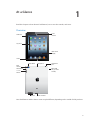
Overview
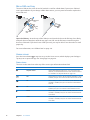
Buttons
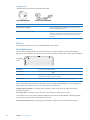
Micro-SIM card tray
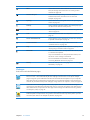
Home screen
Using the Multi-Touch screen
What you need
Setting up iPad
Setting up mail and other accounts
Managing content on iPad
Using iCloud
Syncing with iTunes
Connecting iPad to your computer
Viewing the user guide on iPad
Battery
Using and cleaning iPad
Using apps
Customizing the Home screen
Typing
Searching
Printing
File Sharing
Notifications
Twitter
Using AirPlay
Using Bluetooth devices
Security features
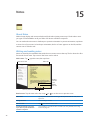
Viewing webpages
Links
Reading List
Reader
Entering text and filling out forms
Searching
Bookmarks and history
Printing webpages, PDFs, and other documents
Web clips