1
Setting Up and Using Remote Viewing
Verizon XV6700
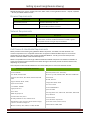
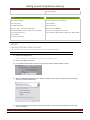
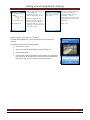
Examples of Wireless Handheld Devices:
Above-Net Top100P
Juniper Systems Archer Field PC
Asus MyPal A730W
Mitac Mio A201
Acer n20 series
Dell Axim X51v; X51; X50v; X50; X30
HP iPAQ hx2400 series; hx2700 series; hx3700
series; hx4700 series
i-mate PDA2
Lenovo ET960
MP2 Solutions MRT300
Olympus "Tough Digital Assistants"
Toshiba e805; e400/e405; e750/e755; e800/e805
Intrinsyc Carbonado;
SETUPS
Creating a WiLife Online Account
Note: Skip this step if you set up your Online account during the Setup Wizard!
Note: To create your online account, you will need Internet access.
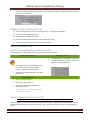
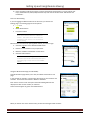
1) Click on the Setup button.
Note: To create your online account, you will need Internet access.
2) Click on the Online tab screen.
3) In the WiLife Online Account section, click on the link (Create a WiLife Online account).
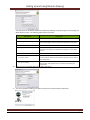
4) When the WiLIfe Setup Wizard screen displays, validate that the option "Create new remote viewing
account" is selected. Click Next>.
5) Fill out the fields with basic account and site information -- first/last name and location name. Click
Next> to continue.
Page 3