1
The Formats
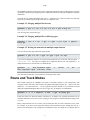
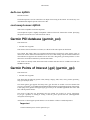
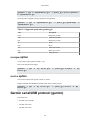
gpsbabel -i gpx -f in.gpx -o mmo,locked=y -F out.mmo
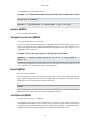
visible option
Write items 'visible' [default yes].
This option can be useful, if you want to convert a big file with a lot of entries. By default GPSBabel
creates only 'visible' items.
Sample command to write an mmo file with 'invisible' items:
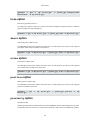
gpsbabel -i gpx -f in.gpx -o mmo,visible=n -F out.mmo
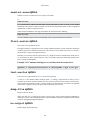
ver option
Write files with internal version [n].
Two major strains of Mobile Mapper files have been identified in the wild. Version 17 is reported as
"Memory Map OS Edition 2004, Versio 4.2.3 Build 432" and version 18 is used by the large majority of
current files. We can read either and when writing, we write version 18 by default.
If you have a particularly old Mobile Mapper installation, it may complain "This file was created with a
newer version of the Software" when reading our output.You can get around this if force GPSBabel to
create the old format with this option.
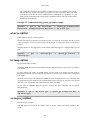
Example 3.16. Forcing creation of old Mobile Mapper files
gpsbabel -i gpx -f whaetever.gpx -o mmo,ver=17 -F whatever.mmo
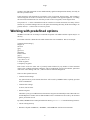
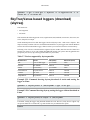
Microsoft AutoRoute 2002 (pin/route reader)
(msroute)
This format can...
• read routes
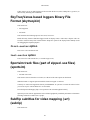
Input support for Microsoft AutoRoute 2002-2006 .axe files and Microsoft Streets and Trips .est files.
This is for reading routes created this program and is different than the s_and_t format used for writing
pushpins.
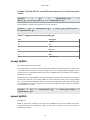
These files contains only routes. We can extract the coordinates and the names of the points within route.
An export to this format will not be supported.
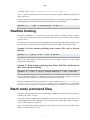
Only the start, stops, and end points are stored in the .est/.axe/.ptm files. Turn-by-turn route data is not
stored in the .est/.axe/.ptm files, and is recalculated by the Microsoft title each time on opening the file.
This means that the output of GPSBabel will not contain turns needed for driving directions.
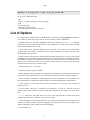
One possible approach to achieve similar results is to use the Streets and Trips drawing tools to trace a
line over the interesting parts of the route to capture intersections or key turns. GPSBabel will capture
stops in the route and insert those as turns, so adding stops at intersections can also improve the results
when converting.
84