1
Timer and sleep operation (Remote
control only) (continued)
■ Listening to the playback sounds of
portable audio player, etc.
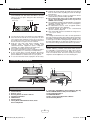
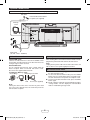
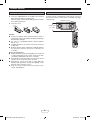
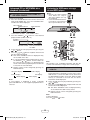
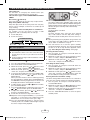
1� Use a connection lead to connect the portable audio
player etc. to the AUDIO IN socket. When using video
equipment, connect the audio output to this unit and
the video output to a television.
2� Press the ON/STAND-BY button to turn the power
on.
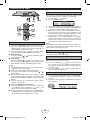
3� Press the AUDIO IN button on the remote control or
FUNCTION button repeatedly on main unit to select
AUDIO IN function.
4� Play the connected equipment. If volume level of the
connected device is too high, sound distortion may
occur. Should this happen, lower the volume of the
connected device. If volume level is too low, increase
the volume of the connected device.
■ Sleep operation
The radio, compact disc, iPod, USB, Audio In can all be
turned off automatically.
1� Play back the desired sound source.
2� Press the SLEEP button.
3� Within 5 seconds, press the Numeric buttons to set
the time. (1 minute ~ 99 minutes)
4� “SLEEP” will appear.
5� The unit will enter the power stand-by mode
automatically after the preset time has elapsed. The
volume will be turned down 1 minute before the sleep
operation finishes.
To confirm the remaining sleep time:
While “SLEEP” is indicated, press the SLEEP button.
To cancel the sleep operation:
Press the ON/STAND-BY button while “SLEEP” is
indicated. To cancel the sleep operation without setting
the unit to the stand-by mode, proceed as follows.
1� While “SLEEP” is indicated, press the SLEEP button.
2� Within 5 seconds, press the “0” button twice until
“SLEEP 00” appears.
Note:
To prevent noise interference, place the unit away from
the television.
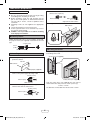
■ Headphones
● Do not turn the volume on to full at switch on and
listen to music at moderate levels. Excessive sound
pressure from earphones and headphones can cause
hearing loss.
● Be sure your headphone has a 3.5 mm (1/8”) diameter
plug and impedance between 16 and 50 ohms. The
recommended impedance is 32 ohms.
● Before plugging in or unplugging the headphone,
reduce the volume.
● Plugging in the headphone disconnects the speakers
automatically. Adjust the volume using the VOLUME (+ or
-) on the main unit or VOL +/- on the remote control.
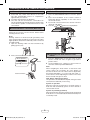
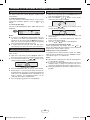
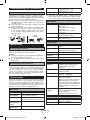
■ To use timer and sleep operation together
Sleep and timer playback:
For example, you can fall asleep listening to the radio and
wake up to CD in the next morning.
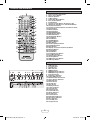
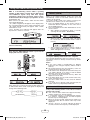
1� Set the sleep time (see above, steps 1 - 5).
2� While the sleep timer is set, set the timer playback
(steps 2 - 9, page 19).
Sleep timer
setting
Timer playback
setting
1-99 minutes
Sleep operation will
automatically stop
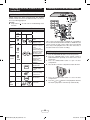
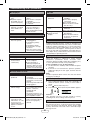
Troubleshooting chart
End time
Many potential problems can be resolved by the owner
without calling a service technician.
If something is wrong with this product, check the
following before calling your authorised SHARP dealer or
service centre.
Desired time
Timer playback start
time
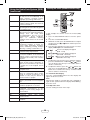
■ General
Enhancing your system
Symptom
● The clock is not set to
the correct time.
Possible cause
● Did a power failure occur?
● Reset the clock. (Refer
page 18)
● When a button is
● Set the unit to the power
pressed, the unit does
stand-by mode and then
not respond.
turn it back on.
● If the unit still
malfunctions, reset it.
(Refer page 21)
● No sound is heard.
● Is the volume level set to
“Min”?
● Are the headphones
connected?
The connection lead is not included. Purchase a commercially
available lead as shown below.
Portable
audio
player, etc.
Audio cable
(not supplied)
20
DK-KP82PH_OM_EN_SCA.indd 20
2013-02-26 07:33:24