1
T200 User's Manual
SECTION 7: WINDRIVE
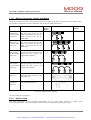
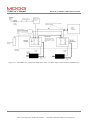
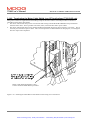
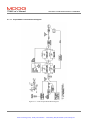
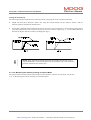
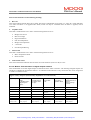
Example of PC Interface
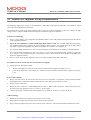
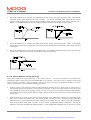
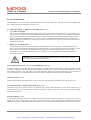
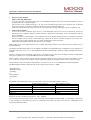
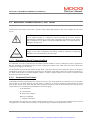
If an external signal is required to enable the transmitter of the adapter, the Transmit Data pin from the PC can be used
as an enable pin. An adapter can be wired to ensure that the transmitter is enabled when data is sent, thus actively
driving Highs on the RS485 line.
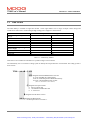
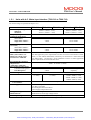
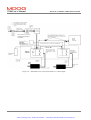
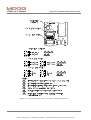
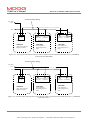
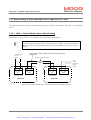
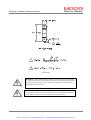
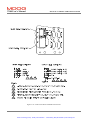
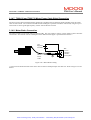
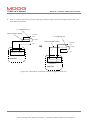
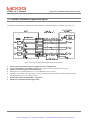
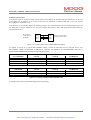
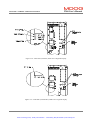
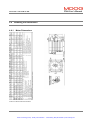
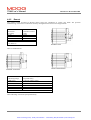
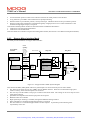
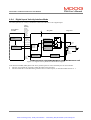
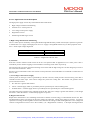
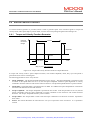
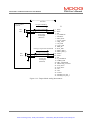
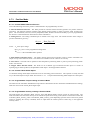
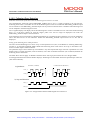
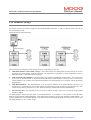
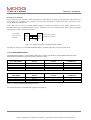
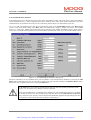
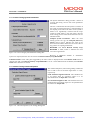
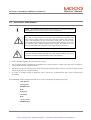
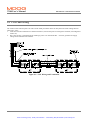
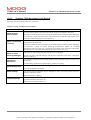
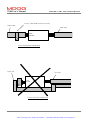
If the RTS line is used by the RS232/RS485 adapter, the following adapter can be placed between the PC
Communications port, and the RS232/485 converter. WinDrive uses only the Transmit Data, Receive Data, and Signal
Ground Pins on the PC Communications port.
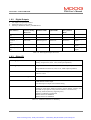
PC ComPort
9-Way D-Type
(Female)
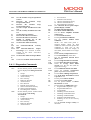
RxD
TxD
Gnd
RTS
2
3
5
7
NC
2 RxD
3 TxD
5 Gnd
7 RTS
9-Way D-Type (Male)
to Plug into Converter
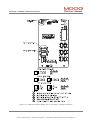
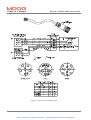
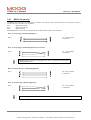
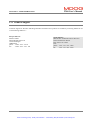
Figure 7.2: Adapter between PC and RS232/RS485 Adapter
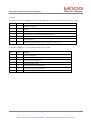
For details of wiring for a specific RS232/RS485 adapter, consult the data-sheet for the particular device.
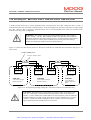
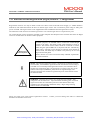
7.4.2.2 RS232/RS485 adapter
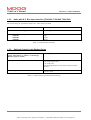
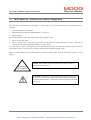
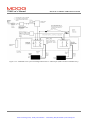
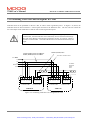
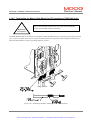
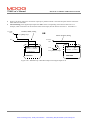
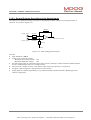
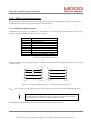
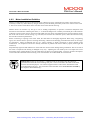
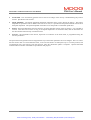
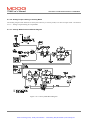
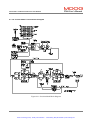
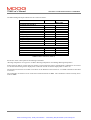
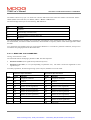
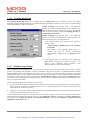
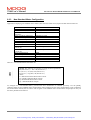
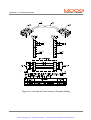
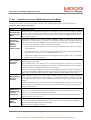
The RS232/RS485 adapter recommended by MOOG for operation with WinDrive and the RMC/DMC and T200 is
PSM-EG-RS232/RS485-P/2D, PN2761392 from Phoenix Contact.
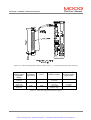
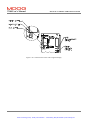
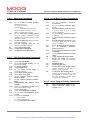
PC COMM PORT
1
2
3
5
SIGNAL
SHLD
RXD
TXD-RTS
GND
9-PIN D
NC
2
3&7
5
PHOENIX RS232
COMBICON
NC
5
4&7
8
T200 RS485
4
5
6
SIGNAL
RS485 +
RS485 GND
9-PIN D
3
8
2-7
PHOENIX RS485
COMBICON
6
8
4
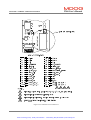
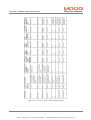
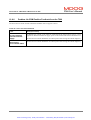
Table 7.1: Wiring of PSM-EG-RS232/RS485-P/2D
For further information consult MOOG applications engineering.
PAGE 7-12
Artisan Technology Group - Quality Instrumentation ... Guaranteed | (888) 88-SOURCE | www.artisantg.com