1
Using Your Digital Data Storage (DDS) Tape Drive
DDS Tape Drive and Data Cassette Descriptions
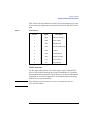
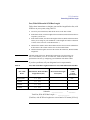
Media Wear (Caution) Hewlett-Packard DDS drives continually monitor the
number of errors they have to correct when reading and writing to a tape to
determine tape wear and tape head cleanliness. If excessive tape wear or
dirty tape heads are suspected, the drive warns you by displaying the Media
Wear (Caution) signal on the LED indicators.
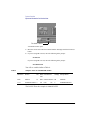
If the LED indicators on your DDS-format drive display the Media Wear
(Caution) condition, follow this procedure:
1
Check the system console for any tape error messages. A hard error during a read
or write operation may have occurred.
2
Clean the heads with a cleaning cassette (HP92283K) as described in the “Cleaning the Tape Heads” section, later in this chapter.
3
Repeat the operation you performed when the Media Wear (Caution) signal displayed. If the Media Wear (Caution) signal still displays, then the data cassette
should be replaced.
4
If you are performing a backup from disk to tape, discard the data cassette and
back up your files using a new data cassette.
5
If you are performing a restore from tape to disk, complete the restore, back up
the files to a new data cassette, then discard the data cassette
Data Cassettes
Media Life
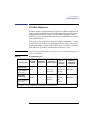
HP DDS data cassettes are currently specified to 2000 passes over any part
of the tape under optimal environmental conditions (50% relative humidity,
22 degrees C). During a tape operation, any one area of the tape may have
multiple passes over the heads. This translates into approximately 200 to
300 backups or restores.
Under certain conditions, the life of your data cassette is less. Replace your
data cassettes after 100 backups or restores if your operating conditions meet
any of the following criteria:
•
The relative humidity in your operating environment is consistently less than
50%.
•
You know that the backup software you are using makes multiple passes over sec-
68