1
SETTINGS
Playback Setting
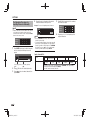
Parental Control
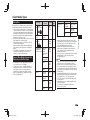
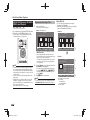
This lets you set the Parental Control depending
on the disc content. The available Parental Control
Levels are shown below.
The 4-digit PIN code number needs to be entered
before the Parental Control Levels and the Country
Code are set. The Parental Control Levels and the
Country Code cannot be set if a PIN code has not
been created or the PIN code is not entered.
• Select the rating level appropriate for the age of the
user.
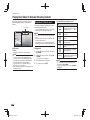
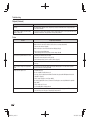
Item (Parental control level for DVD-video)
8 and Off: All DVD-video can be played.
1–7: Prohibits play of DVD-video with corresponding
ratings recorded on them.
Item (Parental control level for BD-video)
No Limit: All BD-video can be played.
0–99 year(s): Prohibits play of BD-video with
corresponding ratings recorded on them.
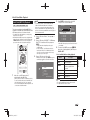
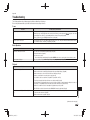
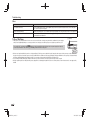
Disc Language (Disc Priority Language)
This lets you select the language for subtitles, audio
and menus displayed on the screen.
Item
Select the subtitle language you want to display.
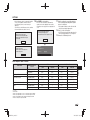
Yes: Enter the 4-digit number.
No
Item (Audio)
Select the audio language you want to hear.
Item (Menu)
Select the menu language you want to display.
NOTE
• When you forget the PIN code, you can reset the current
PIN code using “System Reset” under “Settings”. (See
page 44.)
• You can also set the new PIN code if desired.
NOTE
• When “Auto” is selected, the priority language of the
disc will be played back.
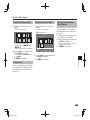
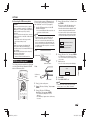
Angle Mark Display
This lets you turn the Angle Mark Display on or off
when BD/DVD video recorded with multiple angles
is played back. (The Angle Mark is displayed in the
lower right screen.)
Yes, No
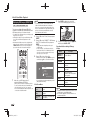
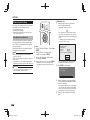
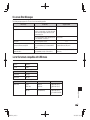
BD Internet Access
This allows you to set access restriction to BD-LIVE
contents.
Item
Permit: Allows all BD-LIVE discs.
Limit: Allows only discs with owner certification.
Prohibit: Prohibits all BD-LIVE discs.
NOTE
• The available functions differ depending on the disc.
• Regarding playback method of BD-LIVE contents,
etc., perform the operations in accordance with the
instructions in the BD disc manual.
• To enjoy BD-LIVE functions, perform the broadband
Internet connection (page 18) and communication
settings (pages 44–46).
Settings
Item
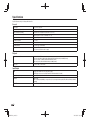
Select the country code.
The ratings differ according to the country.
NOTE
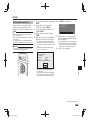
This sets the PIN code for setting or changing the
Parental Control Level.
Item (Subtitle)
Item (Country code)
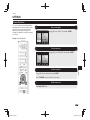
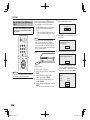
• Refer to “Basic Operation for Playback Setting” on page
40 for details.
PIN Code Setting
43
BD-HP25A_en.indd 43
2011/03/01 10:55:53