1
Video/Picture/Music Playback
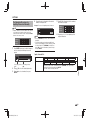
Use of Picture in Picture Function
(Secondary Audio/Video Playback)
BD-Video that includes secondary audio and
video compatible with Picture in Picture can be
played back with secondary audio and video
simultaneously as a small video in the corner.
Virtual Package
For BD-Video discs compatible with Virtual
Package, data is copied from the discs or Internet to
local storage. It is automatically copied to the local
storage prior to playback. You can enjoy a variety
of additional functions including secondary video,
secondary audio, subtitles, movie trailers, etc.
• The playback methods vary depending on the disc. For
details, refer to the disc manual.
BD-LIVE
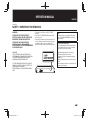
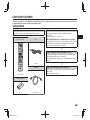
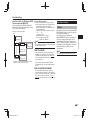
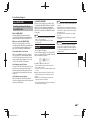
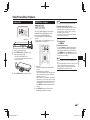
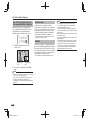
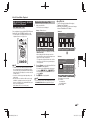
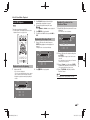
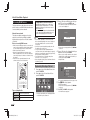
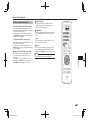
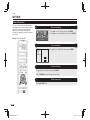
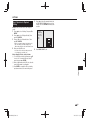
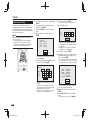
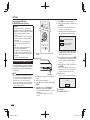
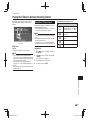
1 Press PinP during playback to show the
2-picture screen.
In this player, a variety of contents with interactive
functions are available through BD-LIVE compatible
Blu-ray discs by connecting to the Internet. You can
enjoy the download of bonus features such as latest
movie trailers to the USB device, communication
compatible BD-J interactive games, etc.
NOTE
• Regarding playback method of BD-LIVE contents,
etc., perform the operations in accordance with the
instructions in the BD disc manual.
• To enjoy BD-LIVE functions, perform the broadband
Internet connection (page 19) and communication settings
(pages 48–49).
• Before using this function, please read “Network Service
Disclaimer” (page 65).
• Refer to page 46 regarding the setup to restrict access to
BD-LIVE contents.
• If the BD-LIVE screen does not appear for a while after
you select the BD-LIVE function in the BD disc menu,
the USB device may not have enough free space. In
such cases, eject the disc from the player, and then
erase the data in the USB device in the “USB (HDD/
Memory) Management” menu on page 50.
• The available functions differ depending on the disc.
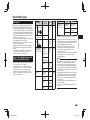
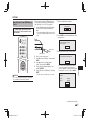
Primary audio/
video
Secondary audio/
video
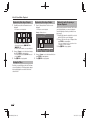
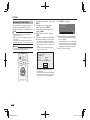
2 To remove the secondary video, press PinP
again.
NOTE
• To listen to secondary audio, make sure that “Secondary
Audio” is set to “On”. (See page 44.)
• The secondary audio and video for Picture In Picture
may automatically play back and be removed
depending on the content. Also, playable areas may be
restricted.
28
BD-AMS10A_EN.indd 28
2012/03/22 15:59:34