1
About Media Types
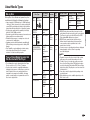
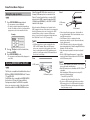
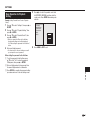
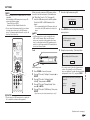
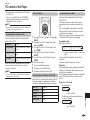
About files/folders for Still images (JPEG
files) and audio data (MP3 files)
You can play still images (JPEG files) /audio data
(MP3 files) with this unit by making folder(s) on discs
or USB memory devices as shown below.
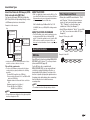
Root
L
01 Folder
ABOUT DivX VIDEO-ON-DEMAND
L
001.jpg/001.mp3
Folder
256.jpg/256.mp3
001.jpg/001.mp3
255.jpg/255.mp3
xxx Folder
001.jpg/001.mp3
256.jpg/256.mp3
L
L
L
Including the root directory, the maximum number of folders
and files in each folder is limited to 256 in total.
File and folder requirements
• The discs or USB memory devices which this player
can play back (recognize) are limited to the following
properties:
Contains EXIF format files (only JPEG files)
Picture resolution: Between 32 x 32 and 7680 x 4320
pixels (only JPEG files)
Maximum number of folders and files in each folder:
256
Maximum hierarchy level of folders: 5
File size: 20 MB or less (JPEG files)
200 MB or less (MP3 files)
• This DivX Certified® device must be registered in order
to play purchased DivX Video-on-Demand (VOD)
movies. To obtain the registration code, locate the DivX
VOD section in your device setup menu. Go to vod.
divx.com for more information on how to complete your
registration.
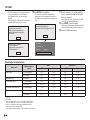
About Disc Contents
BD Video
Enjoy BD-specific functions including BONUSVIEW
(BD-ROM Profile 1 Version 1.1), such as picture-inpicture, and BD-LIVE (page 28).
For the BD video discs compatible with
BONUSVIEW/BD-LIVE, you can enjoy additional
contents by copying the data from the discs or
downloading it via the Internet. For instance, this
function is capable of playing the original movie as
the primary video while playing video commentary
from the film director on a small screen as a
secondary video.
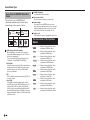
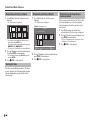
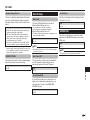
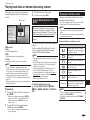
Title, Chapter and Track
•Blu-ray discs and DVDs are divided into “Titles”
and “Chapters”. If the disc has more than one
movie on it, each movie would be a separate
“Title”. “Chapters”, on the other hand, are
subdivisions of titles. (See Example 1.)
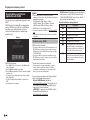
•Audio CDs are divided into “Tracks”. You can think
of a “Track” as one tune on an Audio CD. (See
Example 2.)
Example 1: Blu-ray disc or DVD
Title 1
Chapter 1
Title 2
Chapter 2
Chapter 3
Introduction
xxx.jpg/xxx.mp3
• DivX® is a digital video format created by DivX, Inc. This
is an official DivX Certified® device that plays DivX video.
Visit www.divx.com for more information and software
tools to convert your files into DivX video.
DivX Certified® to play DivX® and DivX Plus™ HD
(H.264/MKV) video up to 1080p HD including premium
content.
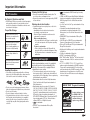
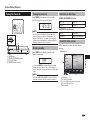
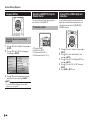
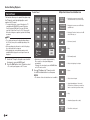
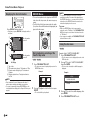
Example of a folder structure:
001.jpg/001.mp3
ABOUT DivX VIDEO
Chapter 1
Example 2: Audio CD
Track 1
Track 2
Track 3
Track 4
NOTE
• The available functions differ depending on the disc.
NOTE
• File and folder names displayed on this player may differ
from those displayed on PCs.
11