1
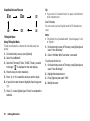
4. Select the modem driver from the on-screen
4. Select the modem driver from the on-screen
instructions of your CD-ROM, and install modem driver
software following the on-screen instructions of your
CD-ROM.
instructions of your CD-ROM, and install modem driver
software following the on-screen instructions of your
CD-ROM.
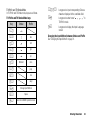
5. Follow the on-screen instructions to use your phone as
5. Follow the on-screen instructions to use your phone as
a modem driver.
• When the on-screen instructions ask modem driver
type, select the cable as a modem driver.
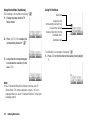
a modem driver.
• When the on-screen instructions ask modem driver
type, select Bluetooth as a modem driver.
Modem via Bluetooth Connection
1. Turn on the Bluetooth wireless function of your phone.
For details, see “To Turn On or Off the Bluetooth Wireless
Function” on page 135.
2. Pair your PC with your phone.
For details on pairing your PC with your phone, see “To
Search for Devices to be Paired” on page 135.
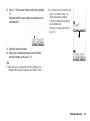
3. Insert the CD-ROM into your PC’s CD-ROM drive.
The SX663 CD-ROM screen is displayed.
If the SX663 CD-ROM screen is not displayed, double-click
[Launcher.exe] in your CD-ROM.
Note
• Modem communication is not possible while communicating
with the Handset Manager via Bluetooth wireless technology
or USB interface.
• It is not recommended that you make or answer calls when
you are using SX663 as a GSM/GPRS modem. The operation
may be interrupted.
• Your phone exhausts the battery when connected to a PC,
even when not communicating.
• For a detailed explanation on how to use the Modem driver,
please click and refer to the help on the Modem Driver.
Connecting SX663 to Your PC 141