1
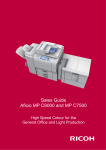
PaperCut - Sharp OSA Manual 2014-12-24 This manual covers the Sharp OSA embedded MFD setup. For general PaperCut MF documentation, please see the PaperCut MF manual. 1 Overview This manual provides an overview of the installation, configuration and operation of PaperCut’s embedded software MFD (Multi-Function Device) solutions. Today’s MFDs are smarter – they have touch screens and offer the ability to run applications directly on the device. The goal of PaperCut Software’s embedded MFD solution is to leverage these smart devices and to provide walk-up copier users with the same set of rich application features provided in the print control area. These include: Secure access to device functions End user authentication including integration with single sign-on environments Monitoring and control of photocopying, scanning, faxing and on-device printing (quotas, charging, allocation and logging) Allocation of copying, scanning, faxing and on-device printing to accounts/departments/cost-centers/projects Ability to locate shared accounts via select-from-list, keyword search or manual code/pin entry Release jobs from a hold/release queue (Secure & Find Me Printing) Group based access control: Limit access to color copying or access to the device as a whole to certain user groups. Highlights of the embedded solution include: 1.1 Consistency: The embedded solutions are developed in-house by the PaperCut Software development team. This ensures that the copier interface is consistent with the workstation print interface, meaning users only have to learn one system. 1.2 Integration: PaperCut is a single integrated solution where print, internet and copier control are all managed in the one system. Users have a single account and administrators have the same level of reporting and administration for all services. The embedded solution interacts with the PaperCut server using a Service Oriented Architecture (SOA) and web services based protocols. 1.3 Rate of development: PaperCut is developed under a release-often policy where new features are made available to users as soon as they are complete. Unlike hardware based solutions, new versions can be delivered to users regularly as software updates. 1.4 Vendor Neutral: PaperCut remains true to its vendor neutral stance. All embedded solutions are equal and support all server OS’s including Windows, Linux and Mac. Copyright © 2009-2014 PaperCut Software International Pty. Ltd., All Rights Reserved. 3 of 38