1
What’s in this Guide?
Introduction
Using E20
Using
E20
Getting Started
The Settings
Advanced settings
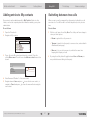
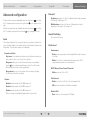
Adding entries to My contacts
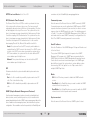
Switching between two calls
New contacts can be added manually to My Contacts. Entries in other
folders, such as the corporate phone book must be made by your system
administrator.
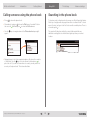
When you are in a call you may put the other party on hold while you call
someone else. You will then be in call with two parties, but only one at a
time.
Do as follows:
Do as follows:
1. Open the Phone book
2. Navigate to My contacts:
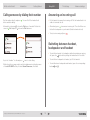
1. While in a call, press the softkey Hold. The softkeys will now change to
show you three options:
• Resume to go back the call you were in.
• Transfer to transfer the other party to someone else, as described in
Blind transfer (next page).
• New call to let you call someone else, while at the same time
keeping the first party on hold.
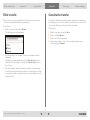
3. Press to enter My contacts and show the contents. Press the
softkey New contact. This will cause the Add new contact menu to be
shown.
2. By using the softkey that will toggle between Hold and Resume you
may switch between talking to either party.
4. Enter Name and “Number” of the new contact
5. Navigate down to Save and press to save the the new contact, or
navigate to Cancel and press to leave the menu without saving the
new contact.
D14330.06 ADMINISTRATOR GUIDE TANDBERG E20—July 2009
21