1
What’s in
in this
What’s
this Guide?
guide?
Introduction
Getting Started
Using E20
The Settings
Advanced settings
What’s in this guide?
Introduction
Intellectual Property Rights.............................. 5
Trademark...................................................... 5
Disclaimer..................................................... 5
Patent Information......................................... 6
Copyright Notice........................................... 6
Safety Instructions........................................... 7
Water and Moisture...................................... 7
Cleaning......................................................... 7
Ventilation...................................................... 7
Lightning........................................................ 7
Dust............................................................... 7
Vibration........................................................ 8
Power Connection and Hazardous Voltage... 8
Servicing........................................................ 8
Accessories................................................... 9
Communication Lines................................... 9
Environmental Issues....................................... 9
Digital User Guides..................................... 10
European Environmental Directives............ 10
Waste Handling........................................... 10
Information for Recyclers............................ 10
Using the E20
The Advanced Settings
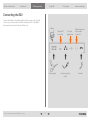
Connecting the E20........................................ 16
Adjusting the E20 camera.............................. 16
The E20 keyboard.......................................... 17
Operating the softkeys................................... 17
Navigation principles...................................... 18
Selfview......................................................... 18
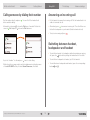
Calling someone by dialing their number....... 19
Answering an incoming call............................ 19
Switching between handset,
loudspeaker and headset............................... 19
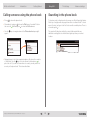
Calling someone using the phone book......... 20
Searching in the phone book.......................... 20
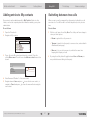
Adding entries to My contacts....................... 21
Switching between two calls......................... 21
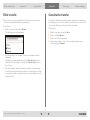
Blind transfer.................................................. 22
Consultative transfer...................................... 22
The Settings menu
Description of the Settings available.............. 24
The Settings................................................ 24
Getting Started
Connecting the E20........................................ 12
Using the keypad to configure the E20.......... 13
Setting up the E20 from remote.................... 14
D14330.06 ADMINISTRATOR GUIDE TANDBERG E20—July 2009
2
Description of the Advanced Settings............ 27
IP settings...................................................... 27
Advanced configuration.................................. 28
Audio........................................................... 28
Camera 1..................................................... 28
CapsetFilterDebug...................................... 28
Conference 1............................................... 28
Experimental............................................... 29
Menu........................................................... 29
Network 1................................................... 29
Network services....................................... 29
Phonebook.................................................. 31
Provisioning................................................. 31
SIP............................................................... 31
Standby....................................................... 33
System Unit................................................. 33
HearingImpairedMode................................ 33
MenuLanguage........................................... 33
Name........................................................... 33
Time............................................................ 33
Video........................................................... 33
Change password........................................... 33
Restart............................................................ 33
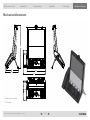
Mechanical dimensions.................................. 34