1
5
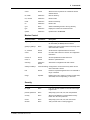
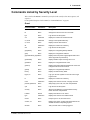
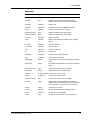
Commands
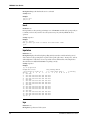
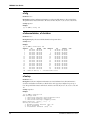
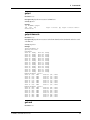
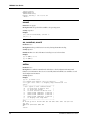
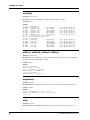
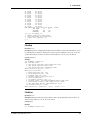
[11] A:\MMM # update
Percent Done = 03%
2B Updating
2C Updating
2D Updating
2E Updating
2F Updating
2G Updating
2H Updating
[12] A:\ # abort 2b
Are you sure you wish to abort the update? (y/n) y
Aborting . . .
upload
Parameter: Pathname
Description: Uploads from a computer connected to the MR9600 controller’s serial port connector the file
specified by pathname. Before uploading, binary files must be converted to ASCII data on the source
computer using a utility supplied by Multi-Tech. The format for the data is one or more lines of
hexadecimal data up to 80 characters in length, where each hexadecimal value is bracketed by square
brackets (e.g., [2b][3c]...[1c]). When the file has been uploaded, press ESC or CTRL+D to complete the
upload.
Note: For debugging use only under the direction of Technical Support personnel. Files will normally be
transferred using FTP.
Security: Supervisor
Limitations: Only ASCII files can be uploaded. This command does not support flow control, so the files
should be uploaded using an ASCII file transfer protocol with a 1 millisecond delay between lines.
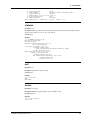
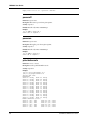
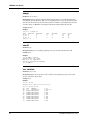
Example:
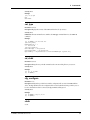
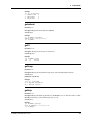
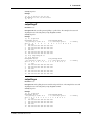
[0] A:\MMM # upload mr9600.db
...data uploaded here...
2192 byte(s) written to ‘mr9600.db’
[1] A:\MMM #
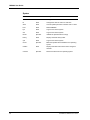
uptime
Parameter: Device or None
Description: If no arguments are given, this displays the date and time since the last boot. If arguments
are given, then the time that the device(s) has been up is given in days, hours, minutes and seconds.
Security: Operator
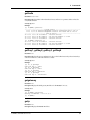
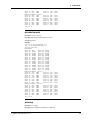
Example:
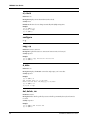
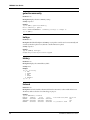
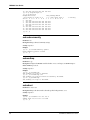
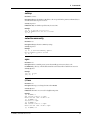
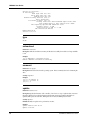
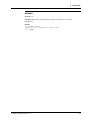
[05] A:\ # uptime
System up since – 1/8/2000 2:57pm - 0 Days 2 Hours 7 Minutes 5 Seconds
[06] A:\ # uptime 5a:6p
System up since - 1/8/2000 3:45pm - 0 Days 2 Hours 7 Minutes 12 Seconds
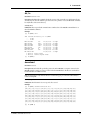
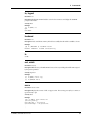
5A
RAS
up for 000-00:55:03
5B
T1
up for 000-00:55:03
6A
Modem up for 000-00:55:03
6B
Modem up for 000-00:55:03
6C
Modem up for 000-00:55:02
6D
Modem up for 000-00:55:02
6E
Modem up for 000-00:55:02
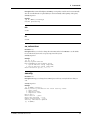
CommPlete Communications Server
61