1
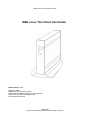
WML Linux Thin Client User Guide
Table of Contents
Introduction to WML Linux Thin Client.....................................................................
.............................5
Technical Data....................................................................................................................
.......................6
Connectivity Ports..........................................................................................................................
..6
Powering on/off..................................................................................................
.............................6
Monitors............................................................................................................................
...............6
Initial Setup Wizard....................................................................................................................
...............7
Client Connection Manager...................................................................................................................
..12
Connections Tab – Overview..................................................................................
...........................13
Configuration Tab – Overview..............................................................................................
.............15
Creating a new Connection...................................................................................
.............................16
Editing a Connection...................................................................................................
.......................18
NoMachine NX...........................................................................................................
..............18
Citrix ICA.................................................................................................................................
.18
NoMachine NX............................................................................................................................
.......19
NoMachine NX: Network Tab.....................................................................................................
..19
Optional: NX key..................................................................................................................
.........20
NoMachine NX: Desktop Tab.................................................................................
......................21
Launching an NX Connection......................................................................................
.................22
Editing an existing NX connection...............................................................................................
.26
Citrix ICA....................................................................................................................
.......................27
Sound support........................................................................................................
........................27
Local USB storage device access..................................................................................
................27
RDP: Remote Desktop Protocol................................................................................................
.........29
GraphOn GoGlobal For Windows.................................................................................................
.....30
X Windows - XDMCP..................................................................................................................
......32
XDMCP Broadcast...............................................................................................
.........................32
X Font Servers.......................................................................................................
........................33
VNC – TightVNC..................................................................................................................
.............34
Secure Shell - SSH.............................................................................................................................
.35
Telnet..............................................................................................................................................
.....36
Web Browser..................................................................................................................................
.....37
Firefox settings..............................................................................................................................
.37
Custom programs.......................................................................................................................
.........38
Sun Secure Global Desktop.......................................................................................................
.........39
Client Setup Manager..............................................................................................................
................40
System........................................................................................................................................
.........41
Saving and Loading System Settings.........................................................................
...................41
Restoring Factory Default Settings....................................................................
...........................43
Network-wide configuration........................................................................................................
..43
Locale............................................................................................................................................
......45
Network.............................................................................................................................................
..46
Remote access to the WML Linux Thin Client....................................................................
.........46
Remote SSH access.................................................................................................................
..46
Remote VNC access..................................................................................................................
47
Specifying X Font Server (xfs)..................................................................................................
....47
Wireless networking.............................................................................................
.........................48
Display..............................................................................................................................
..................51
page 3/62
Copyright © 2008 William Matthew Limited. All rights reserved