1
Programming MDC
Configuration Programming
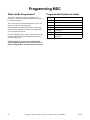
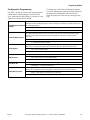
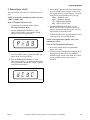
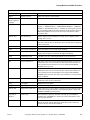
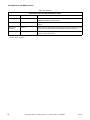
Use Table 1 to turn on or turn off the preprogrammed
Card Reader Controlled Display, Pressure Switch
Type, Audio Signal, Global Errors, Coin Drop #1, and
Pump/Gravity Drain options in MDC.
To change any or all of these configuration options,
review the following descriptions carefully and choose
the appropriate configuration value from Table 1.
Enter the appropriate value in step 6 on the previous
page.
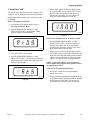
This option, when enabled, prevents the control from displaying certain card operation-related
messages on the Four-Digit Display to allow a third party card reader to display messages on
Card Reader Controlled the Four-Digit Display.
Display
ON = Turns off control generated display messages
OFF = Turns on control generated display messages
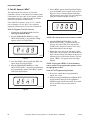
Pressure Switch Type
This option selects whether a two-level or three-level pressure switch type is used. (Proper
pressure switch must be installed to match configuration or machine will not function
correctly.)
0 = Two-level pressure switch
1 = Three-level pressure switch
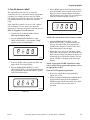
This option turns on or off the audio signal which, when turned on, sounds for keypad
depression, coin/start pulse input and card insertion, and open/shorted thermistor error.
Audio Signal
ON = Turns on audio signal
OFF = Turns off audio signal
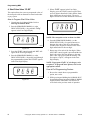
This option determines whether all errors are displayed.
Global Errors
ON = Turns on errors in Four-Digit Display
OFF = Turns off errors in Four-Digit Display
Coin Drop #1
This option determines whether the control will accept pulses from the coin drop #1.
Coin Drop #1 = Turns on coin drop #1
This option determines whether the machine will use the pump or the gravity drain. (Gravity
drain must be installed to match configuration or machine will not function correctly.)
Pump/Gravity Drain
Pump = Turns pump on and turns gravity drain off
Gravity Drain = Turns gravity drain on and turns pump off
801184
© Copyright, Alliance Laundry Systems LLC – DO NOT COPY or TRANSMIT
19