1
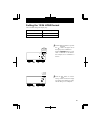
Setting the Print Language
This setting is available only if "D.O.W. 24 HOUR" has
been selected in the previous print style.
The print language can be selected from the following six types.
Order Options
Print Example:Thursday 3:30 p.m.
1. ENGLISH
TH 15 : 30
2. SPANISH
JU 15 : 30
3. GERMAN
DO 15 : 30
4. FRENCH
JE
5. ITALIAN
GI 15 : 30
6. PORTUGUESE
QI 15 : 30
1. ENGLISH
2. SPANISH
3. GERMAN
4. FRENCH
5. ITALIAN
6. PORTUGUESE
LANGUAGE
SELECT
CHANGE
SET
15 : 30
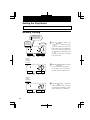
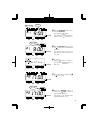
1 Push the SELECT button to position
the " " mark at the upper side of the
display next to "LANGUAGE".
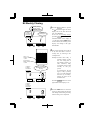
Push the CHANGE button to set the
number at the desired print language.
For example, set 3 if GERMAN is
desired.
1. ENGLISH
2. SPANISH
3. GERMAN
4. FRENCH
5. ITALIAN
6. PORTUGUESE
LANGUAGE
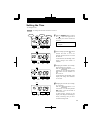
2 Push
the SET button to finish
setting. At that moment, the display
will change from flashing to steady,
and the setting is now completed.
SELECT
CHANGE
SET
17