1
Command Line Configuration
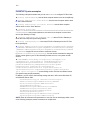
That group must be have the same authority (local machine or domain) as the original
lockdown. Before you do so, stop the PC-Duo Host service, from Control Panel >
Administrative Tools > Services.
To unlock PC-Duo Host settings, follow these steps:
1 Run regedit, and navigate to HKLM\Software\Funk Software, Inc.\Proxy
v5\Proxy Host Restrictions.
2 Remove this registry key which stores the settings lock-down.
3 Restart the PC-Duo Host service.
NOTE: This registry key is protected. Consequently, only members of the Remote
Control Host Admins group can do this.