1
Contents
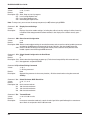
Chapter 1 - Introduction and Description .................................................................... 5
Introduction ................................................................................................................................................ 6
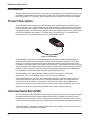
Product Description ................................................................................................................................... 6
Universal Serial Bus (USB) ....................................................................................................................... 6
What Can You Do with Your Modem? ......................................................................................................... 7
Features ..................................................................................................................................................... 8
Data ..................................................................................................................................................... 8
Fax ....................................................................................................................................................... 8
Required Equipment ............................................................................................................................ 8
Connections .............................................................................................................................................. 9
Connecting to the Computer (“USB”) .................................................................................................. 9
Connecting to the Telephone Line (“LINE”) ......................................................................................... 9
Surge Protectors and Lightning ........................................................................................................... 9
Front Panel ................................................................................................................................................. 9
Technical Specifications .......................................................................................................................... 10
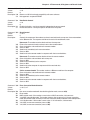
Chapter 2 - Installation ................................................................................................ 13
Unpacking ................................................................................................................................................
Safety Warning Telecom ...........................................................................................................................
Step 1: Connect the Modem to Your System ...........................................................................................
USB Connection ................................................................................................................................
Line Connection .................................................................................................................................
Step 2: Installing the Modem ...................................................................................................................
Installation in Windows XP ................................................................................................................
Installation in Windows 2000 .............................................................................................................
Installation in Windows ME ...............................................................................................................
Installation in Windows 98 .................................................................................................................
Installation in Windows 95 .................................................................................................................
Removing Your Old Modem from Windows .......................................................................................
Step 3: Configuring the Modem for Your Country ....................................................................................
Using the Global Wizard Utility .........................................................................................................
Using AT Commands .........................................................................................................................
Step 4: Installing Data Communications Software ..................................................................................
14
14
15
15
15
16
16
16
20
25
28
28
29
29
29
30
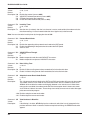
Chapter 3 - AT Commands, S-Registers & Result Codes ......................................... 31
AT Commands .............................................................................................................. 32
AT Command Summary ........................................................................................................................... 33
S-Registers .............................................................................................................................................. 42
Result Codes ........................................................................................................................................... 44
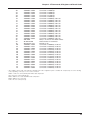
Chapter 4 - Troubleshooting ........................................................................................ 47
Introduction ..............................................................................................................................................
None of the Indicators Light ..............................................................................................................
The Modem Does Not Respond to Commands .................................................................................
The Modem Dials But Cannot Connect .............................................................................................
The Modem Disconnects While Online .............................................................................................
The Modem Cannot Connect When Answering .................................................................................
The Modem Doesn’t Work with Caller ID ..........................................................................................
Fax and Data Software Can’t Run at the Same Time .......................................................................
48
48
48
49
50
50
50
50