1
Contents
Chapter 1 - Introduction and Description
Introduction ....................................................................................................................................................... 6
Features ............................................................................................................................................................ 6
Technical Specifications .................................................................................................................................... 7
Preview of this Guide ........................................................................................................................................ 7
Related Documentation ..................................................................................................................................... 8
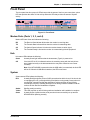
Front Panel ........................................................................................................................................................ 9
Modem Ports (Ports 1, 2, 3, and 4) ............................................................................................................. 9
Hub ............................................................................................................................................................. 9
System ........................................................................................................................................................ 9
Back Panel ...................................................................................................................................................... 10
Chapter 2 - Installation
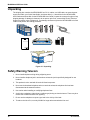
Unpacking ....................................................................................................................................................... 12
Safety Warning Telecom ................................................................................................................................. 12
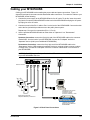
Cabling your MT4X56USB .............................................................................................................................. 13
Chapter 3 - Software Loading and Configuration
Introduction ..................................................................................................................................................... 16
System USB Support ...................................................................................................................................... 16
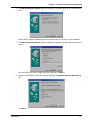
Loading your Driver Software .......................................................................................................................... 16
MT4X56USB Drivers for Windows 98 ....................................................................................................... 16
MT4X56USB Drivers for Windows 95 ....................................................................................................... 19
MT4X56USB Drivers for Windows NT 4.0 ................................................................................................ 21
MT4X56USB Drivers for Windows 2000 ................................................................................................... 23
Installing Your V.90 Modems ........................................................................................................................... 27
Installing Your V.90 Modems (Windows 2000) ................................................................................................ 31
Windows 95/98 Configuration Utility ................................................................................................................ 34
Windows NT 4.0/2000 Configuration Utility ..................................................................................................... 36
Chapter 4 - AT Commands, S-Registers and Result Codes
Introduction ..................................................................................................................................................... 40
S-Registers ..................................................................................................................................................... 49
Result Codes ................................................................................................................................................... 51
Chapter 5 - Remote Configuration
Introduction ..................................................................................................................................................... 54
Remote Configuration Procedure .................................................................................................................... 54
Setup ........................................................................................................................................................ 54
Chapter 6 - Troubleshooting
Introduction ..................................................................................................................................................... 58
None of the Indicators Light ...................................................................................................................... 58
The Modem Does Not Respond to Commands ........................................................................................ 58
The Modem Dials But Cannot Connect .................................................................................................... 58
The Modem Disconnects While Online ..................................................................................................... 59
The Modem Cannot Connect When Answering ........................................................................................ 60
The Modem Doesn’t Work with Caller ID .................................................................................................. 60
Fax and Data Software Can’t Run at the Same Time ............................................................................... 60