1
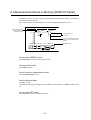
5.3 MANUAL Measurement
5.3 MANUAL Measurement
Select MANUAL mode when measurement cannot be performed automatically due to
deformation of cornea, corneal disease such as keratitis, low reflection rate of cornea, or
when measuring a certain examinee is apt to result in error.
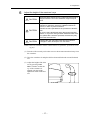
NOTE: Be sure to perform focusing precisely in MANUAL mode. Otherwise, measurement
error may occur.
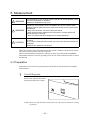
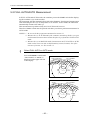
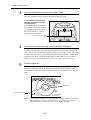
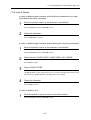
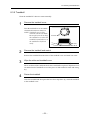
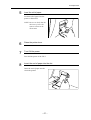
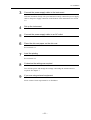
1
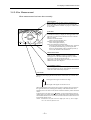
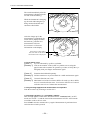
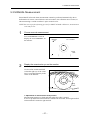
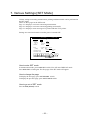
Choose manual measurement
Press AUTO/MANU. switch to
display the word “MANUAL” on
the monitor.
MANUAL
30
N o. 0 0 0 0 0 1
mmHg
STD
R
L
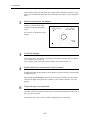
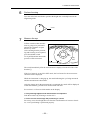
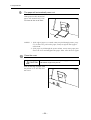
2
[
[
,
,
,
,
]
]
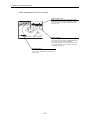
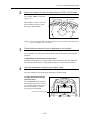
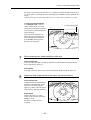
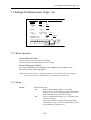
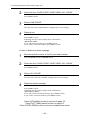
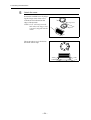
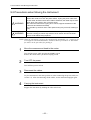
Display the examinee’s eye on the monitor
Use the roller and the trackball
so that the right eye of the examinee is seen approximately in the
center of the monitor.
MANUAL
30
N o. 0 0 0 0 0 1
mmHg
STD
R
L
[
[
,
,
,
,
]
]
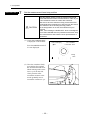
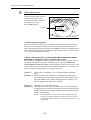
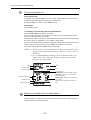
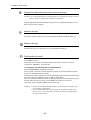
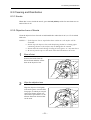
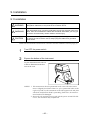
♦ Adjustment of measurement head position
Measurement head moves back and forth when the roller is turned.
It moves up and down when trackball is turned back and forth, and to right and left
when trackball is turned to right and left.
– 27 –