1
Chapter 3
Operation
Boonton Electronics
4530 Series RF Power Meter
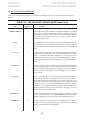
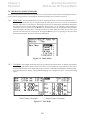
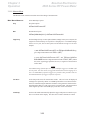
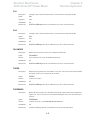
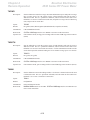
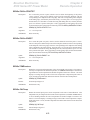
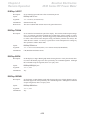
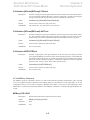
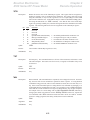
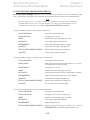
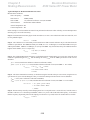
Main Menu > Channel 1 | 2 > Params > Filter
Set the integration time of the digital filter to reduce noise in Modulated and CW modes. Longer filter times
reduce noise, but increase the settling time of the measurement. The AUTO setting will adaptively set the
filter time for a good tradeoff between noise and settling time based on the signal’s current power level. The
digital filter performs an unweighted average of the measured power during the last N seconds, where N is the
filter time setting. The settling time of the filter is exactly equal to the filter time.
Range:
Auto, None, 0.01 to 15.00 seconds
Default:
Auto
Remote Command:
SENSe:FILTer:STATe <OFF, ON, AUTO>
SENSe:FILTer:TIME <n>
(forces STATE to ON)
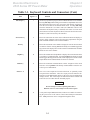
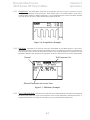
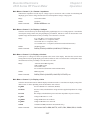
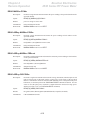
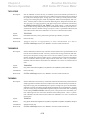
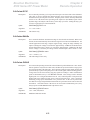
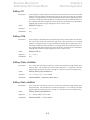
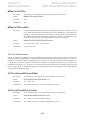
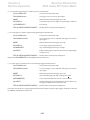
Main Menu > Channel 1 | 2 > Params > Peak Hold
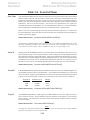
Set the operating mode of the peak hold feature in Pulse, CW and Modulated modes.
Off
Peak readings are held for a short time, then automatically decayed according to
the averaging selected. This is useful for slowly fluctuating modulated signals.
(Default)
Inst Hold
The maximum instantaneous peak value is held until reset.
Avg Hold
Holds the maximum average (filtered) power until reset.
Remote Command:
CALCulate:PKHLD <OFF, INST, AVG>
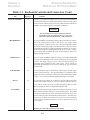
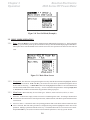
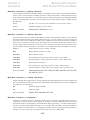
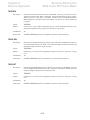
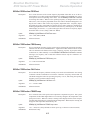
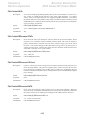
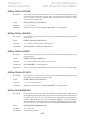
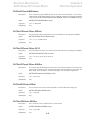
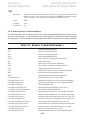
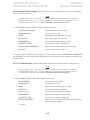
Main Menu > Channel 1 | 2 > Params > CalFactor
Displays or changes the current frequency cal-factor value in dB. Selecting the menu item will show the
calfactor currently in use, whether manually entered or automatically calculated from sensor data and the
current frequency. Entering a value temporarily overrides the sensor table value. Changing the frequency
restores sensor table values.
Range:
-3.00 to 3.00 (dB)
Default:
0.00 dB
Remote Command:
SENSe:CORRection:CALFactor <n>
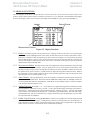
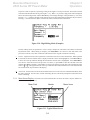
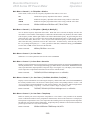
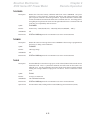
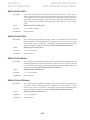
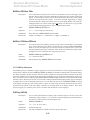
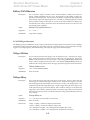
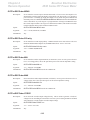
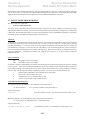
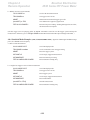
Main Menu > Channel 1 | 2 > Params > Video BW
Selects the peak sensor’s video bandwidth.
High
Setting normally used for measurements. Actual bandwidth is determined by the
peak sensor model used. (Default)
Low
Setting used during calibration and available for measurements. For 57000 series
peak sensors, the low video bandwidth is less than 500 kHz to allow calibration at
50 MHz.
Remote Command:
SENSe:BANDwidth <HIGH, LOW>
3-24