1
Table of Contents
Table of Contents
Chapter 1 – Product Description & Specifications.................................................................................. 5
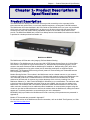
Product Description ................................................................................................................................... 5
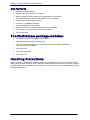
Key Features ............................................................................................................................................. 6
The MultiAccess package contains: .......................................................................................................... 6
Handling Precautions ................................................................................................................................ 6
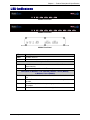
LED Indicators ........................................................................................................................................... 7
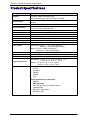
Product Specifications ............................................................................................................................... 8
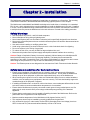
Chapter 2 – Installation............................................................................................................................... 9
Safety Warnings ........................................................................................................................................ 9
Safety Recommendations for Rack Instructions ....................................................................................... 9
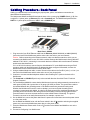
Cabling Procedure - Back Panel ............................................................................................................. 10
Chapter 3 – Configuring Your MultiAccess............................................................................................ 12
Setting Admin PC to Startup IP Address................................................................................................. 12
Logging In................................................................................................................................................ 12
Setting MultiAccess IP Addresses........................................................................................................... 13
Resetting Admin PC to Its Original IP Address ....................................................................................... 13
Logging In Again...................................................................................................................................... 13
Time Configuration .................................................................................................................................. 14
Setting Up the Mail Server ...................................................................................................................... 13
Modem Configuration .............................................................................................................................. 14
Setting Authentication.............................................................................................................................. 16
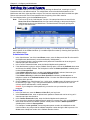
Setting Up Local Users............................................................................................................................ 18
Chapter 4 – Software ................................................................................................................................ 20
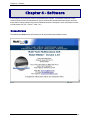
Home Screen........................................................................................................................................... 20
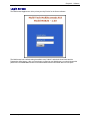
Login Screen ........................................................................................................................................... 21
Call Log Screen ....................................................................................................................................... 22
Call Log ................................................................................................................................................... 23
Call Details .............................................................................................................................................. 23
Current Status Screen ............................................................................................................................. 24
Logout Option .......................................................................................................................................... 25
Administration Screen .............................................................................................................................26
Local Users Data Base Screen ............................................................................................................... 28
Modem Setup Screen..............................................................................................................................29
Authentication Screen .............................................................................................................................31
Chapter 5 – Troubleshooting ................................................................................................................... 33
Chapter 6: Warranty, Service, & Repair .................................................................................................. 35
Repair Procedures for U.S. and Canadian Customers ........................................................................... 35
Repair Procedures for International Customers (Outside U.S.A. and Canada)...................................... 35
Repair Procedures for International Distributors ..................................................................................... 36
Multi-Tech Systems, Inc. MultiAccess User Guide
3