1
EN
pdf viewer
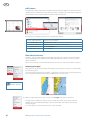
The pdf viewer makes it possible to read the manuals and other pdf files on the NSS unit. The
manuals can be read from an inserted Micro-SD card or copied to the unit’s internal memory.
NSS manuals can be downloaded from www.simrad-yachting.com.
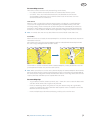
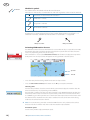
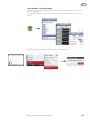
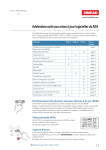
Use the keys and softkeys to maneuver in the pdf file as below:
Search, Page Up/Down
Scroll pages
Panning on page
Zoom In/Out
Exit the pdf viewer
Tap the relevant softkeys
Turn the rotary knob
Drag finger on the screen in any direction
Press the IN/OUT keys
Press the X key
New chart features
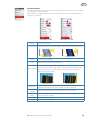
The NSS is delivered with different cartography depending on region. All units will support
Navionics Platinum Plus, TurboView and C-Map (by Jeppesen) via micro-SD card or via the
Ethernet network.
Charts can be shared over the Ethernet network, so only one chart card per boat is required.
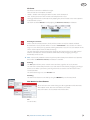
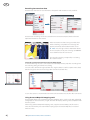
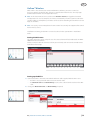
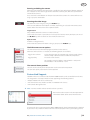
Selecting chart type
Chart type is now selected from the chart options menu, and the selection is set individually
for each chart panel.
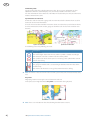
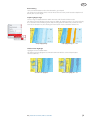
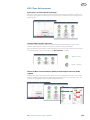
If you have different chart types available - embedded, in the SD card slot or on the Ethernet you can show two different chart types simultaneously in a split screen.
See the Operator
manual for how to customise
pages.
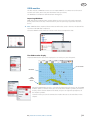
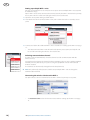
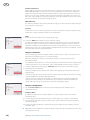
¼¼ Note: To show C-Map charts, you need to select Insight chart type in the menu.
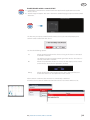
If Insight chart is embedded and you have a C-MAP card in the slot or on the Ethernet
network, the system will automatically select the chart with most chart details for your
displayed region.
The same applies if you have two Navionics charts available.
2|
NSS | Addendum for RTM-2, RTM-2.5 and RTM-3