1
Contents
1
Introduction
What’s in This Guide?
1- 2
Switch Load Unit Software Overview
2
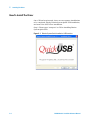
Installing The Driver
How To Install The Driver
3
1- 3
2- 2
Programming With TestExec SL
Procedure of Programming TestExec SL Specific Handler 3- 2
Start With System Configuration Editor 3- 2
Configuring an Agilent E6198B Switch/Load Unit 3- 3
Example of a Switch/Load Unit Parameter Block Data Values
Example of a Switch/Load Unit Wiring Configuration Values
Example Of Using TxSL To Call SLUHandler 3-6
3-4
3-5
Advantage Of Installing Agilent TS-5000 Application Software 3- 10
Auto Detection By System Configuration Editor(SCE) 3-12
Switching Path Manager
3-12
4
Programming With Generic Application Handler
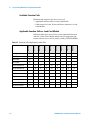
Available Function Calls 4- 2
Applicable Function Calls vs. Load Card Models 4- 2
Valid Ranges For Load, Power And Sense Channels Vs. Load Card
Models 4-3
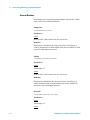
General Routines 4- 4
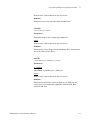
Activate Load Card Relays 4- 6
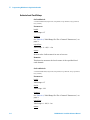
Digital IO and DAC Control 4- 10
Error Codes 4- 14
Example Of Using Generic Handler 4- 15
G
Glossary Of Terms
E6198B Switch/Load Unit Software Manual
iii