1
Table of Contents
1.
Introduction ........................................................................................................... 4
2.
Setup ...................................................................................................................... 4
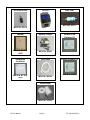
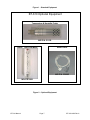
2.1. Unpacking ............................................................................................................................ 4
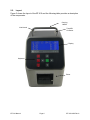
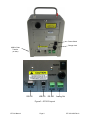
2.2. Layout .................................................................................................................................. 8
2.3. Default Settings .................................................................................................................. 10
2.4. Initial Operation .................................................................................................................. 10
3.
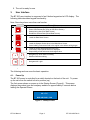
User Interface ...................................................................................................... 11
4.
Operation ............................................................................................................. 11
4.1. Power Up............................................................................................................................ 11
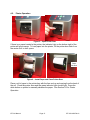
4.2. Printer Operation ................................................................................................................ 12
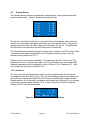
4.3. Operate Screen .................................................................................................................. 13
4.3.1.
Favorites ...................................................................................................................... 13
4.3.2.
Sampling ...................................................................................................................... 14
4.3.3.
Sample Status .............................................................................................................. 14
4.3.4.
Sample History ............................................................................................................. 14
4.3.5.
Warnings / Errors ......................................................................................................... 15
4.4. Sample Related Functions .................................................................................................. 15
4.4.1.
Starting/Stopping .......................................................................................................... 15
4.4.2.
Real-Time Output ......................................................................................................... 15
4.4.3.
Sample Mode ............................................................................................................... 15
4.4.4.
Sample Time ................................................................................................................ 15
4.4.5.
Hold Time .................................................................................................................... 15
4.4.6.
Sample Timing ............................................................................................................. 16
5.
Main Menu ............................................................................................................ 16
5.1. Edit Main Menu Items ......................................................................................................... 17
5.2. Sample Setup Screen ......................................................................................................... 17
5.2.1.
Location Number .......................................................................................................... 17
5.2.2.
Sample Time ................................................................................................................ 17
5.2.3.
Hold Time .................................................................................................................... 17
5.2.4.
Samples ....................................................................................................................... 18
5.3. Settings Screen .................................................................................................................. 18
5.3.1.
Count Units .................................................................................................................. 18
5.3.2.
Temperature................................................................................................................. 18
5.4. Serial Screen ...................................................................................................................... 18
5.4.1.
Report Type ................................................................................................................. 19
5.4.2.
Baud Rate .................................................................................................................... 19
5.4.3.
Serial Output Mode ...................................................................................................... 19
5.5. Printer Screen .................................................................................................................... 19
5.5.1.
Printer .......................................................................................................................... 19
5.6. Favorites Screen ................................................................................................................ 20
5.6.1.
Favorites Mode (ON/OFF) ............................................................................................ 20
5.6.2.
Favorites Sizes (SIZE) ................................................................................................. 20
5.6.3.
Favorites Alarm Limits (ALARM) .................................................................................. 20
BT-610 Manual
Page 2
BT-610-9800 Rev A