1
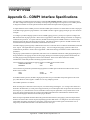
PagerID1<CR>Message1<CR>PagerID2<CR>Message2<CR>
Forced Resynchronization Example:
<DEL><DEL><DEL>PagerID<CR>Message<CR>
When incoming data is detected on the serial port, one of three things will happen: 1) The data in the serial port input
buffer contains properly formatted COMP2 command strings, 2) a time period of approximately 10 seconds elapses
after receipt of the last character on the serial port, or 3) 256 characters or more accumulate in the serial port input
buffer. The serial port data is analyzed character by character to see if a properly formatted command string exists. If
the serial port data contains one or more properly formatted COMP2 command strings, then the paging message(s)
will be transmitted to the specified pager ID(s) as long as those pager ID(s) exist in the SPS-5 Paging System's pager
database. If a pager ID doesn't exist in the pager database, an error message will be output by the paging system as
follows:
Invalid character in pager ID<CR><CR><RS><CR>
Any portions of the serial port input buffer that don't meet the COMP2 message formatting requirements are
discarded. The original COMP2 protocol has an inherent weakness of using the <CR> character to delimit both the
Pager ID field and the Message field. This approach allows the possibility of an extra or missing <CR> character to
cause the host system and the paging system to get out of synch with each other, causing multiple paging messages
to be rejected by the paging system. A more robust version of the COMP2 protocol uses three <DEL> characters as
indicators of the beginning of a COMP2 command string. The use of three <DEL> characters at the beginning of
each output message assures that out-of-synch conditions will not occur. The forced resynchronization method is
optional. As additional synchronization insurance, the WaveWare COMP2 implementation has been designed to
stay in synch even if one or more <CR> characters immediately precede a properly formatted COMP2 command
string.
If the 10 second timeout occurs while waiting for all of the characters required for a properly formatted COMP2
message to arrive on the serial port, the data in the serial port input buffer will be discarded. If 256 or more characters
arrive in the paging system's serial port input buffer, and the first 256 characters contain all of the elements of a
properly formatted COMP2 command string except for the trailing <CR> character, then the <CR> will be assumed
and only the first 256 characters of the input buffer will be processed as a valid COMP2 paging message.
If the serial port input buffer becomes filled with greater than 600 characters, the paging system will output either a
hardware or software flow control response, depending upon how DIP switch 1 is configured. Once the serial port
input buffer drops below 450 characters, the paging system will use flow control signals to indicate that it is no
longer busy and that additional data can be delivered to the serial port.
Appendix H – COMP2 Interface Specifications - 21