1
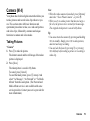
Selecting Multiple Files
You can select more than one item from My Items for
moving, copying, managing and deleting.
Note
• The following procedure applies when entries other
than “More Pictures”/“More Ringtones”/“More
Videos”/“More Themes” are highlighted.
1. Select the appropriate folder for the desired file type
(p. 109).
2. Highlight the file you wish to select.
3. Press [Options] and select “Check”.
4. Repeat steps 2 and 3 until you select all the desired
files.
Tip
• To remove the check, highlight the file again and
select “Uncheck” in step 3.
• If you wish to unselect all, select “Manage Items” in
step 3 and select “Uncheck All”.
• You can quickly check, uncheck, check all or uncheck
all items by using the H, J and L keys.
H: Check/uncheck currently highlighted item
J: Checks all items in the current folder
L: Unchecks all checked items in the current
folder
112 My Items
Memory Status (M 6-8)
This function helps you to check the memory status of
the handset memory or memory card. Memory status
covers the following.
Phone Memory:
Applications, Pictures, Videos,
Sounds, Themes, Others, Used
and Free
Memory Card:
Pictures, Videos, Sounds,
Themes, Others, Used and Free
“My Items” → “Memory Status”
1. Select “Phone Memory” or “Memory Card”.