1
Cause
Solution
Too many programs may be running (using up computer resources).
Close other programs, including memory resident programs like System Agent.
Cause
The video file you’re playing may not be encoded with Matrox MJPEG. Playback
of video files not encoded with Matrox MJPEG isn’t accelerated by Matrox video
editing hardware.
Solution
Capture your video files with Matrox MJPEG. For more information, see “Capture
options”, page 24.
Solution
If you created your video file with Ulead Video Editor, you can recreate it as a
Matrox MJPEG or MPEG1 video file. For more information, see “Creating a video
file”, page 35.
Cause
Solution
Cause
If the problem is specific to Matrox MJPEG video files, Microsoft DirectVideo
may be enabled. Matrox MJPEG uses DirectShow, not DirectVideo.
Disable DirectVideo. With the Notepad program, open the system.ini file in your
Windows folder and disable the “VIDS.DRAW=dvideo.dll” line in the “[drivers32]”
section. Disable it by placing a semicolon at the beginning of the line. Save your
changes, close the file, then restart your computer.
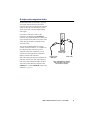
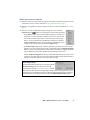
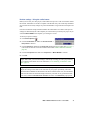
Your Matrox graphics card may be sharing an IRQ (interrupt
request) with another PCI card in your computer (for
example, a network card). To see if your graphics card is
sharing an IRQ:
1
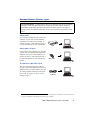
Right-click the My Computer icon on your Windows
desktop background, then click Properties Device
Manager Properties.
2
Look in the list box to see if your Matrox graphics card
is assigned the same IRQ number as another PCI card in
your computer.
Solution
Try moving the PCI card to another PCI slot in your computer. For more
information, see the documentation for this card or see your system manual.
Solution
PCI graphics cards only: Try moving your Matrox graphics card to another PCI
slot in your computer.
Solution
PCI graphics cards only: Use the irqset program to manually assign a different
IRQ number to your Matrox graphics card. For instructions on how to use irqset,
click
Programs Matrox PowerDesk Readme.
Matrox Rainbow Runner G-Series – User Guide
45