1
Codes: Audio
Código: Audio
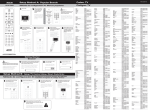
Setup Method C: Setup DVD and AUDIO using Direct Code Entry
Configuración – Método C:
1
2
Press the mode key for the
device you wish to setup.
Presione la tecla de modo
para el equipo que desee
Configuración de DVD y AUDIO utilizando Entrada Directa de Código
3
Press and hold SETUP
until the mode key blinks
twice.
4
Enter the 1st code for your
brand from the code list.
Press power key to test
with your equipment. If
the device turns off,
setup is complete.
Ingrese el primer código
que corresponda a su
marca de la lista de códigos.
Presione y mantenga
presionada la tecla SETUP
Presione la tecla de
encendido/apagado
para probar con su
equipo. Si el equipo se
tecla de modo parpadee
dos veces.
SETUP
SETUP
WATCH TV
WATCH
TV
TV
WATCH TV
WATCH
TV
CAB
LE
DVD
AUDIO
TV
CAB
LE
1
2
3
4
5
6
7
8
If device does not turn
off, then repeat SETUP
METHOD C using the
next code for your
brand.
Si el equipo no se apaga,
repita el MÉTODO DE
CONFIGURACIÓN C
utilizando el próximo
código que corresponda
a su marca.
se ha completado.
9
B
CABLE
DE
WATCH
IO
AUD
GUI
S
UP
C
ET
TV
ON ND
DEMA
D
PAGE
SETTINGS
MENU
CABLE
T
VOL
SELEC
OK
INFO
0
DAY
LIST
EXI
CH
LIVE
FAV
9
wxyz
6
SWAP
mno
PIP
3
0
def
8
tuv
5
ON/OFF
jkl
2
LAST
abc
7
pqrs
4
ghi
1
Durabrand
Dynavox
Dynex
Fisher
Garrard
Gateway
GPX
Haier
Halcro
Harman/Kardon
T
Setup Method D: Code Search
Configuración – Método D: Búsqueda de Códigos
1
2
Press and hold SETUP until
the mode key blinks twice.
Press the mode key for
the device you wish to
setup. The mode key
stays lit.
Presione y mantenga
presionada la tecla SETUP
3
tecla de modo parpadee
dos veces.
Let go of the OK/SELECT
key when your device
turns off.
Suelte la tecla OK/SELECT
(Aceptar/Seleccionar)
cuando su equipo se
apague.
de modo permanence
encendida.
SELECT
SETUP
WATCH TV
WATCH
TV
DVD
To find the exact code for your
device, use our CODE FINDER
feature at
WWW.URCSUPPORT.COM
CABLE
UP
C
ET
TV
D
PAGE
SETTINGS
CABLE
T
VOL
MENU
SELEC
OK
INFO
ON ND
DEMA
DAY
LIST
EXIT
CH
LIVE
FAV
9
wxyz
6
SWAP
mno
PIP
3
0
def
8
tuv
5
ON/OFF
jkl
2
LAST
Anthem
Cambridge Audio
Denon
Digix
Harman/Kardon
Insignia
Integra
JVC
Setup Method E: Setting Volume Controls
Configuración – Método E:
1
Note/Nota:
Volume functions default to control the TV. Follow
these steps if you wish to use an audio device for
volume control.
Configuración de los Controles de Volumen
Press and hold SETUP until the
mode key blinks twice.
2
Presione y mantenga presionada
TV
3
Press VOLUME + key.
SETUP
WATCH TV
WATCH
TV
Presione la tecla
VOLUME + (Aumentar
volumen).
CAB
LE
VOL
Press the mode key that
corresponds to the device you
use for volume controls.
CH
TV
Presione la tecla de modo que
corresponda al equipo que está
utilizando para controles de volumen.
Configuración – Método F: Bloqueo del control de entrada con ajuste a un equipo
Press and hold SETUP until the
mode key blinks twice.
Presione y mantenga presionada
2
SETUP
WATCH TV
WATCH
TV
TV
CAB
LE
Press the INPUT key.
Presione la tecla
INPUT (Entrada).
WATCH TV
WATCH
TV
DVD
que la tecla de modo parpadee
dos veces.
3
Press the mode key that corresponds with the
device you use for changing audio/video inputs.
Presione la tecla de modo que corresponda al
equipo que está utilizando para cambio de
entradas audio/video.
SETUP
WATCH TV
WATCH
TV
TV
DVD
CAB
LE
Setup Method G: Setting WATCH CABLE Activity Key
Configuración – Método G: Configuración de la tecla MIRAR TV POR CABLE
1
Press and hold SETUP until
mode key blinks twice.
Presione y mantenga
presionada la tecla SETUP
2
Press WATCH CABLE key.
Presione la tecla MIRAR
TV POR CABLE.
SETUP
4
Press and hold SETUP
until mode key blinks
twice.
Presione y mantenga
presionada la tecla SETUP
tecla de modo parpadee
dos veces.
SETUP
WATCH TV
WATCH TV
WATCH
TV
DVD
Press mode key for each
device you wish to turn
on when you are ready to
WATCH CABLE TV.
Presione la tecla de modo
para cada equipo que
desee encender cuando
esté listo para MIRAR TV
POR CABLE.
tecla de modo parpadee
dos veces.
AUDIO
3
WATCH CABLE
TV
CAB
LE
DVD
AUDIO
TV
CAB
LE
WATCH TV
WATCH
TV
SETUP
WATCH TV
WATCH
TV
AUDIO
TV
JBL
JVC
Kenwood
KLH
Klipsch
Left Coast Products
LG
Linn
Magnavox
Marantz
Martin Logan
McIntosh
Micromega
Memorex
Musicmagic
Myryad
Nakamichi
NexxTech
Norcent
Nova
Onkyo
Sherwood
Zenith
ZVOX
1077, 1517, 1567, 1905, 2169,
3120, 1653
1567, 2169
1869
3919
3903, 2610, 1622, 1759, 1758,
2172, 1822, 2475, 2522, 1058,
1441, 1258, 1858, 0158, 1658,
2216, 1558, 2671, 2860, 3257,
3372, 3456
3661
1023
1313
1390, 0463
1633, 1308, 1518
1189
3627, 1123, 1788
1390
2454
0158, 0189
2021, 2116, 3917, 2061, 2467,
0376, 3030, 0176, 1815, 1276,
1331, 1375, 1376, 2471, 3267,
3270, 3313, 3580
2197, 1293, 1869
2332, 2334, 3913
Sansui
Sanyo
Sharp
1389, 1751
1389
3326, 1805, 1320, 2503, 2730,
1298, 0135
0823, 1023
3409, 3767, 2967, 2452, 1633,
1275, 1308, 1518, 1676, 3309,
3111, 3055, 2745, 2221, 2105,
1764, 1763, 1548, 1316, 1288
1934
0892, 2675, 3282, 3962, 1189,
1269, 2311, 0189, 0891, 1266,
1831, 2289, 2459, 1089
3728, 3774
0823, 3956, 1935, 1023, 1123,
1384, 2432, 2612
0892, 3429, 0189, 1289, 2270
3661
1254
0823, 1023, 1254, 1123, 1390,
2041, 2426, 2611, 2655, 2719,
3281, 3297, 1609
1568
1869
2660, 1868, 2809, 1295, 3154,
1304, 1500, 2948, 2137
0189, 1089
1801
3097, 3736
3951
3756, 3535
3049
3915
3217
3526
3409, 3767
Philips
Pinnacle Speakers
Pioneer
Polk Audio
Proficient
Samsung
Sharp
3962, 2675, 3282
3774, 3728
3956
3429
3661
2660
3097, 3736
Sonos
Sony
SpeakerCraft
Toshiba
VIZIO
Yamaha
ZVOX
3919
2610
3661
3627
2454
2116, 2021, 3917
3913, 2332, 2334
2545
0741, 1602
0675
2414, 3444
2331
2627
2331
2147, 2562
Oppo
Panasonic
Philips
Pioneer
RCA
Samsung
Sharp
Sherwood
2545
1641, 3641
2434, 2084
0142, 2442, 2854
3464
0199, 3808
2250
3052, 3925
Sony
Sylvania
Toshiba
Viore
VIZIO
Xbox
Yamaha
1516, 0772
0675
2705, 3157
2553
2563
2627
2298, 3837, 3871
Mintek
Mitsubishi
Motorola
MTC
Multitech
NAD
Naxa
NEC
Nesa
Nikko
NiveusMedia
Noblex
Norcent
Northgate
Nyko
Ölevia
Olympus
Onkyo
0717
1521, 0067, 0043
0035, 0048
0240, 0000
0000
0741
2235
0104, 0067
0717
0037
1972
0240
1107
1972
2340
2331
0035
2147, 1627, 0627, 0503, 1769,
2215, 2562
0575, 1224, 2185, 2545
1062, 0162, 0037, 0048, 0104
0184
1641, 0490, 3641, 1579, 0503,
0703, 1762, 1062, 0035, 0162,
0616
0035, 0037, 0240, 0042
0042
0675, 0035
2056, 0539, 2434, 2084, 0503,
0675, 0646, 1158, 1267, 1340,
1354, 1506, 3488, 0739, 0035,
0081
0037
0142, 2442, 1571, 0571, 0631,
1512, 2854, 0067
1020, 1061, 1086
0539, 0081
0278
0675, 1738, 1593
0672
0240
0522, 0060
0039
0035, 0162
0000
0037
0037
0522, 0571, 1769, 0717, 0790,
2213, 2587, 2919, 3464, 3994,
0060, 0035, 0240, 0042
0739
0035, 0037, 0048, 0047, 0000,
0104
2555
0616
1972
0869
0623
0039
0199, 0573, 2069, 1075, 2369,
2329, 0490, 1044, 1470, 1573,
2113, 2269, 2556, 2843, 3492,
3808, 0240, 0045
0048, 0039
Sansui
Sanyo
0695, 0000, 0067
0670, 0695, 0873, 0047, 0240,
0104
0646
0104
0184, 0045, 0043
0035, 0037, 0047, 0000, 0042,
0104
1158
0675, 2250, 0630, 1256, 0048
1043, 1077, 3052, 3925
1077
0240
0035
0869, 0616
1516, 1633, 1070, 0864, 0772,
1033, 1069, 1536, 2326, 0032,
0035, 0033, 0000, 1972
1972
0042
3870
0675, 0035, 0081, 0000, 0043,
1593
0675, 0000, 1593
1972
1972
0037
0790, 0000
0490, 0703, 0035, 0162
0035, 0037, 0000
0571
0000
1503, 0739
0240
0503, 2705, 3157, 2277, 1769,
0695, 1154, 1503, 1510, 1588,
1608, 2006, 2364, 0045, 0043,
1972
0037, 0240
1972
0240
0503
0045
0790
0045
0037
0240
1972
0000
2553
2563
1972
0060, 0035, 0048, 0039, 0047,
0081, 0033, 0240, 0045, 0000,
0042
2555
0522, 2083, 2202, 2627
0035, 0000
0490, 2298, 0539, 0497, 0646,
0545, 1354, 1416, 3837, 3871
0503, 0741, 0869, 0037, 0039,
0033, 0000
1972
Optimus
Panasonic
Parasound
Philips
Pinnacle Speakers
Pioneer
Polk Audio
Proficient
Proscan
RCA
Regent
Rio
Samsung
Sherwood Newcastle
Sonic Blue
Sonos
Sony
SpeakerCraft
Stereophonics
Sunfire
Teac
Technics
Thorens
Toshiba
Venturer
VIZIO
Wards
Yamaha
TV
CAB
LE
3721
3645
2502
3231
3516
3517
3175
Insignia
JBL
JVC
Klipsch
LG
Martin Logan
Panasonic
2820
2808
2258, 2748, 3851
2464, 3850
2927, 3228
0675, 2596, 2428
2147
2365, 2855
Lexicon
LG
Magnavox
Marantz
Memorex
Microsoft
Ölevia
Onkyo
WATCH TV
WATCH
TV
Setup Method F: Locking Input Switch To One Device
1
Integra
2670, 3418
1801
3175
3951, 1030, 1077, 1751, 2126,
2169, 2175, 2472, 2929, 2966,
3210
1805, 1320, 2503, 2730, 1298,
0135
3535, 3756, 2241, 0110, 1306
3049, 1676, 2239, 1374, 3115,
2331, 1495, 1871, 2040, 3274
1313, 1570, 1293
1390
3915
0892
3217, 2197, 2676, 2284, 1293,
3285
0189
1189, 1269, 0189, 1831, 1089
0892, 1892, 2138, 1189, 1269,
0189, 1289, 2114, 1089
3526
1289
1189
1568
1089
1189
1313
1751
Codes: DVD and VCR
Codes : DVD and VCR
DVD
que la tecla de modo parpadee
dos veces.
Las funciones de volumen controlan el televisor de
manera predeterminada. Siga estos pasos si desea utilizar
un dispositivo de audio para el control de volumen.
Hitachi
iLive
Insignia
Codes: Blue-Ray
Codes : Blue-Ray
S
abc
7
pqrs
4
ghi
DVD
B
CAB
LE
WATCH
GUID
E
TV
CAB
LE
IO
AUD
DAY
TV
1
DVD
AUDIO
AudioSource
Definitive Technology
Denon
Dynavox
Haier
Harman/Kardon
iLive
Tip/Consejo:
Para encontrar el código exacto
para su equipo, utilice nuestra
función de LOCALIZADOR DE
CÓDIGOS en
WWW.URCSUPPORT.COM
OK
SETUP
WATCH TV
WATCH
TV
0158, 0189, 0121, 1641, 1089
1390
1077
1609
3294
1257
1189, 0189
3721, 3622
1189
1390
1933, 1629, 1229, 1357, 3959
1189, 0189, 0121, 1089
1389, 2698, 2748, 3218
3942, 1389
3645
2134, 2706, 2502, 2857, 1360,
1460, 2279, 2516, 2820, 3001,
3347, 3380
1568
3231
2971
1801
0463
1517, 1567
3214
3516
1934
0892, 3045, 3517, 2241, 1304,
2443, 0110, 0189, 0891, 1306,
Codes: Sound Bars
4
Press and hold down the
OK/SELECT key.
Presione y mantenga
presionada la tecla
OK/SELECT
(Aceptar/Seleccionar).
Presione la tecla de
modo para el equipo que
Aiwa
Alco
AMC
Anam
Anthem
Apex Digital
Arcam
AudioSource
Audiotronic
Audiovox
Bose
Carver
Coby
Curtis
Definitive Technology
Denon
DVD
FAV
DAY
LAST
5
MUG-2125S-BG
Tip/Consejo:
Pressing the WATCH CABLE key
turns your home theater equipment
ON or OFF and puts the remote
into CABLE mode.
Al presionar la tecla MIRAR TV POR
CABLE, su equipo de cine en casa
(home theatre) se enciende o se
apaga y su control remoto queda
ajustado al modo de CABLE.
ABS
Accurian
Admiral
Adventura
Aiko
Aiwa
Alienware
Akai
Alco
Allegro
America Action
American High
Anthem
Apex Digital
Asha
Aspire Digital
Audio Authority
Audiovox
BBK
Beaumark
Bel Canto Design
Bell & Howell
Blaupunkt
Blue Parade
Broksonic
California Audio Labs
Calix
Cambridge Audio
Canon
Carver
CCE
Cinea
CineVision
Citizen
Coby
Craig
Crosley
Curtis
Curtis Mathes
CyberHome
Cybernex
CyberPower
Daewoo
Dell
Denon
DigitalMax
Digix
Disney
Durabrand
Dynatech
Dynex
Electrohome
Electrophonic
Emerson
Emerex
Fisher
Fuji
Funai
Garrard
Gateway
GE
1972
0675, 1416, 0000
0048
0000
0278
0037, 0000
1972
0695
0790
0869, 0039
0278
0035
2820
0672, 0717, 0755, 0794, 1020,
1061
0240
2170
2555
0717, 0790, 0037, 0278
1224
0240
1571
0104
0717
0571
0695, 0184
0490
0037
2808
0035
0081
0278
0831
0833, 0869
0695, 0037, 0278
1086, 1107, 1165, 1351, 2494
0831, 0037, 0047, 0240
0081, 0000
2235, 3401, 3403, 3410
0060, 0035, 0162, 0240, 0278
0816, 1129
0240
1972
0833, 0869, 0045, 0278
1972
0490, 2258, 1634, 2748, 3851,
0042
1738
2464, 3850
0675, 1270, 3246
3464, 0039
0000
2596
0037, 0043
0037
0675, 2213, 0037, 0184, 0000,
0043, 0278, 1593
0032
0670, 0047, 0104
0035, 0033
0675, 0000, 1593
0000
1077, 1158, 1972
0522, 0717, 0060, 0035, 0240
GFM
Go Video
0675, 1593
1075, 0741, 0744, 0833, 0869,
1044, 1158, 0240
GoldStar
0741, 0869, 0037
GPX
2235
Gradiente
0000
Greenhill
0717
Grundig
0539
Harley Davidson
0000
Harman/Kardon
0582, 0702, 1229, 2927, 3228,
0081
Hello Kitty
0831
Hewlett Packard
1972
HI-Q
0047
Hitachi
0573, 0664, 0000, 0042
Hiteker
0672
Howard Computers
1972
Hughes Network Systems 0042
Humax
1588, 0739
Hush
1972
iBUYPOWER
1972
iLo
1348
Initial
0717
Insignia
0675, 0741, 2596, 2095, 2428
Instant Replay
0035
Integra
2147, 0627, 0571, 1769, 1634
Irradio
0646
JBL
0702
JVC
2365, 1164, 0623, 1602, 0558,
0867, 1241, 1275,
1550, 2855, 3025, 0067
jWin
3076
Kawasaki
0790
KEC
0037, 0278
Kenwood
0490, 0534, 0067
KLH
0717, 0790, 1020
Kodak
0035, 0037
Lasonic
0798
Lexicon
2545
LG
0741, 1602, 0869, 2135
Linksys
1972
LiteOn
1158, 1416, 1440, 1738
Lloyd’s
0000
Logitech
2639
LXI
0037
Magnavox
0539, 0503, 0675, 0646, 1354,
1506, 3488, 0035, 0039, 0081,
0000, 1593
Magnin
0240
Marantz
0539, 2414, 2481, 3444, 0035,
0081
Marta
0037
Matsushita
0035, 0162
McIntosh
1273
Media Center PC
1972
MEI
0035
Memorex
0695, 0831, 1270, 2213, 2331,
3153, 0035, 0162, 0037, 0048,
0039, 0047, 0240, 0000, 0104
MGA
0240, 0043
MGN Technology
0240
Microsoft
0522, 2083, 2202, 2627, 1972
Mind
1972
Minolta
0042
Oppo
Optimus
Orion
Panasonic
Penney
Pentax
Philco
Philips
Pilot
Pioneer
Polaroid
Polk Audio
Portland
Presidian
Proceed
Profitronic
Proscan
Pulsar
Quasar
RadioShack
Radix
Randex
RCA
RCN
Realistic
RE-BL
ReplayTV
Ricavision
Rio
Rotel
Runco
Samsung
Sanky
Schneider
Sceptre
Scott
Sears
Sensory Science
Sharp
Sherwood
Sherwood Newcastle
Shogun
Signature
Sonic Blue
Sony
Stack 9
STS
Supersonic
Sylvania
Symphonic
Systemax
Tagar Systems
Tashiko
Teac
Technics
Teknika
Theta Digital
Thomas America
TiVo
TMK
Toshiba
Totevision
Touch
Unitech
Urban Concepts
Vector
Venturer
Video Concepts
Videomagic
Videosonic
Viewsonic
Villain
Viore
VIZIO
Voodoo
Wards
WB Electronics
Xbox
XR-1000
Yamaha
Zenith
ZT Group
FCC STATEMENT
Federal Communication Commission Interference Statement
This equipment has been tested and found to comply with the limits for a Class B digital device, pursuant to Part 15 of
the FCC Rules. These limits are designed to provide reasonable protection against harmful interference in a residential
installation. This equipment generates, uses and can radiate radio frequency energy and, if not installed and used in
accordance with the instructions, may cause harmful interference to radio communications. However, there is no
guarantee that interference will not occur in a particular installation. If this equipment does cause harmful interference
to try to correct the interference by one of the following measures:
t3FPSJFOUPSSFMPDBUFUIFSFDFJWJOHBOUFOOB
t*ODSFBTFUIFTFQBSBUJPOCFUXFFOUIFFRVJQNFOUBOESFDFJWFS
t$POTVMUUIFEFBMFSPSBOFYQFSJFODFESBEJP57UFDIOJDJBOGPSIFMQ
This device complies with Part 15 of the FCC Rules. Operation is subject to the following two conditions: (1) This device
may not cause harmful interference, and (2) this device must accept any interference received, including interference
that may cause undesired operation.
could void the user's authority to operate this equipment.
For Industry Canada
Industry Canada statement
This device complies with RSS-210 of the Industry Canada Rules. Operation is subject to the following two conditions:
(1) this device may not cause harmful interference, and (2) this device must accept any interference received, including
interference that may cause undesired operation.
TROUBLESHOOTING
RESOLUCIÓN DE PROBLEMAS
Problem : Mode key does not blink when a key is pressed.
Solution : Replace batteries.
Problema:
Solución:
La tecla de modo no parpadea al presionar una tecla.
Reemplace las pilas.
Problem : Mode key blinks, but remote does not control my equipment.
Solution : Press correct mode key and point remote at equipment you need
to control.
Problema:
Solución:
La tecla de modo parpadea, pero el control remoto no controla mi equipo.
Presione la tecla de modo correcta y apunte el control remoto al equipo que
necesita controlar.
Problema:
Probé con todos los códigos que corresponden a mi marca de equipo y ninguno
funciona.
Solución: Intente con el método BÚSQUEDA DE CÓDIGOS (MÉTODO D) o visite la
página www.urcsupport.com para una búsqueda basada en el modelo.
Problem : Tried all codes for my brand of device and none work.
Solution : Try CODE SEARCH (METHOD D) method or go to www.urcsupport.com for
model-based search.
Problem : I want to switch VOLUME LOCK from AUD to TV control.
Solution : Follow Setup Method E, but press the TV mode key instead of AUD mode key.
Solución:
Problema:
Solución:
TV code
Código de TV
Deseo cambiar el BLOQUEO DE VOLUMEN pasando de control de AUDIO a control
de TV.
Siga el Método E, pero presione la tecla de modo TV en lugar de la tecla de modo
AUDIO.
Audio code
Código de Audio
DVD code
Código de DVD
Tip/Consejo:
Write the working code here for future use.
Escriba el código de funcionamiento aquí
para una referencia futura.
WWW.URCSUPPORT.COM
©Copyright Universal Electronics2014
2014