1
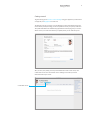
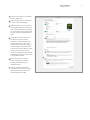
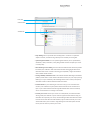
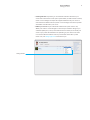
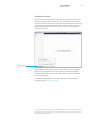
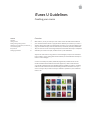
iTunes U Guidelines Creating your course 1 Enter the course name, your institution, and your department. 2 Choose a category and a subcategory, as well as a level and language. 1 3 Add a description—this is your chance to tell students about your content and to set course expectations. For example, you can include a summary of the course structure, or perhaps expectations and goals. 6 2 4 Choose whether your course will be Self-Paced or In-Session. Choose Self-Paced if you want students to go at their own speed. You can include the expected course duration, and you can make updates at any time. Choose In-Session if you want students to follow along as you’re teaching. In-Session courses are organized around a calendar and include a start and stop date, as well as assignment due dates. 5 Select a license for your content. A variety of options are available, including the standard Creative Commons options. 6 Upload a compelling image that represents your course. Use an image that’s at least 600 x 600 pixels, with a maximum file size of 10MB. 3 4 5 3