1
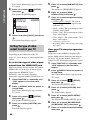
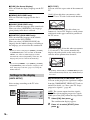
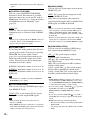
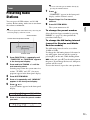
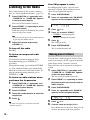
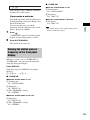
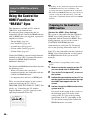
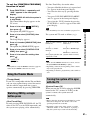
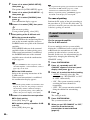
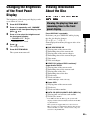
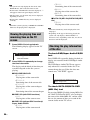
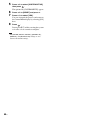
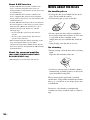
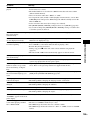
The options for the selected item appear.
Example: [TV TYPE]
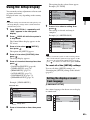
Using the Setup Display
VIDEO SETUP
16:9
TV TYPE:
16:9
PROGRESSIVE (COMPONENT OUT):
OFF
4:3
LETTER
BOX
4:3 OUTPUT:
FULL
AUTO
4:3 PAN SCAN
BLACK LEVEL:
BLACK LEVEL (COMPONENT OUT):
OFF
AUTO
PAUSE MODE:
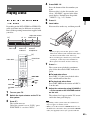
You can make various adjustments of items such
as picture and sound.
Displayed items vary depending on the country
model.
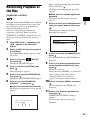
1
2
7
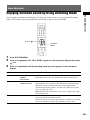
Press FUNCTION +/– repeatedly until
“DVD” appears in the front panel
display.
Press
DISPLAY while the system is
in stop mode.
Press X/x to select
then press
.
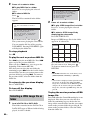
Press X/x to select a setting, then
press
.
The setting is selected and setup is
complete.
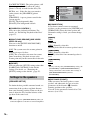
Example: [4:3 LETTER BOX]
VIDEO SETUP
4:3 LETTER BOX
TV TYPE:
PROGRESSIVE (COMPONENT OUT):
OFF
4:3 OUTPUT:
FULL
ON
BLACK LEVEL:
BLACK LEVEL (COMPONENT OUT):
OFF
AUTO
PAUSE MODE:
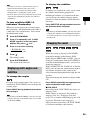
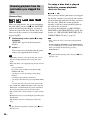
The Control Menu display appears on the
TV screen.
3
Disc
Options
Note
• Playback settings stored in the disc take priority over
the Setup Display settings and not all the functions
described may work.
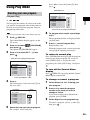
[SETUP],
Selected setting
The options for [SETUP] appear.
4
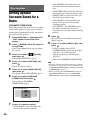
Press X/x to select [CUSTOM], then
press
.
The Setup Display appears.
5
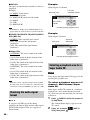
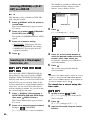
Press X/x to select the setup item, then
press
.
•
•
•
•
•
•
[LANGUAGE SETUP] (page 69)
[VIDEO SETUP] (page 70)
[HDMI SETUP] (page 71)
[AUDIO SETUP] (page 73)
[SYSTEM SETUP] (page 73)
[SPEAKER SETUP] (page 74)
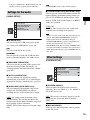
Example: [VIDEO SETUP]
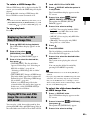
To reset all of the [SETUP] settings
To reset all of the [SETUP] settings, see
“Returning the [SETUP] settings to the default”
(page 97).
Setting the display or sound
track language
[LANGUAGE SETUP]
Selected item
VIDEO SETUP
TV TYPE:
PROGRESSIVE (COMPONENT OUT):
4:3 OUTPUT:
BLACK LEVEL:
BLACK LEVEL (COMPONENT OUT):
PAUSE MODE:
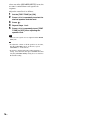
Note
• When you turn the system on after resetting and no
disc is in the unit, the guide message appears on the
TV screen. To perform the Quick Setup (page 44),
press
. To return to normal screen, press CLEAR.
16:9
OFF
FULL
ON
OFF
AUTO
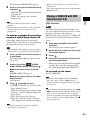
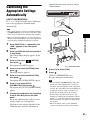
Set various languages for the on-screen display
or sound track.
LANGUAGE SETUP
OSD:
MENU:
AUDIO:
SUBTITLE:
ENGLISH
ENGLISH
ORIGINAL
AUDIO FOLLOW
Setup items
6
Press X/x to select an item, then press
.
69US