1
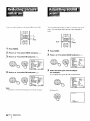
Displaying
on-screen
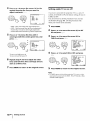
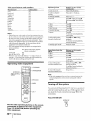
rl'o cancel tile Sleep 'limer, press SLEEP repeatedly
until "SLEEP OFF" appears, or turn off the projection
TV.
information
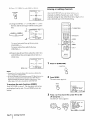
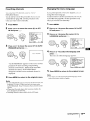
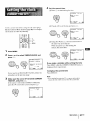
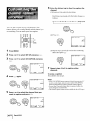
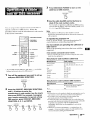
Press DISPLAY repeatedly
until the desired
display appears.
Each time you press DISPLAY, the display changes
follows:
Status display* -+ XDS** --+ Caption
_-DISPLAY OFF 4
as
Vision***
]
The sleep timer is also cancelled when you select
AUTO PROGRAM under the SET UP menu.
Watching
a video
input
picture
DISPLAY
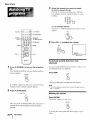
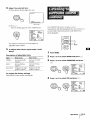
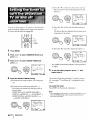
Press TVNIDEO repeatedly
video input appears.
until
the desired
Each time you press TV/VIDEO, the display changes
as follows: TV _ VIDEO 1 _ VIDEO 2 _ VIDEO 3.
*
Channel number, the current time, channel caption
(if set), and MTS mode (if SAP is selected) are
displayed.
seconds.
SAP indication
disappears
TVNIDEO
after three
** Some programs are broadcast with XDS (Extended
Data Service) which shows a network name,
To return to TV picture,
press TV (black button).
program name, program type, program length, call
letters, and time of the show. When you select XDS
with the DISPLAY button, this information will be
displayed
service.
on the screen if the broadcaster
offers this
*** Some programs are broadcast with Caption Vision.
When you select Caption Vision with the DISPLAY
button, Caption Vision will be displayed on the
screen if the broadcaster
offers this service. (See
page 36 for selecting
Caption
the
Sleep
input
to the
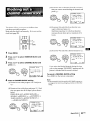
Press TV (black button).
"AUX" appears
beside the channel
number.
TV
Vision.)
To cancel the display, press DISPLAY repeatedly until
"DISPLAY OFF" appears. "DISPLAY OFF" goes off
after three seconds.
Setting
Changing
the VHF/UHF
AUX input
Pressing TV (black button) again switches back to the
VHF/UHF input.
When switching from "VIDEO" to "AUX," TV must be
pressed twice.
Timer
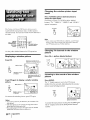
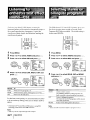
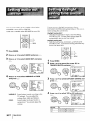
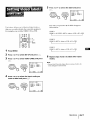
The projection TV stays on for tile length of time you
specify and then shuts off automatically.
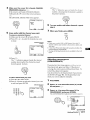
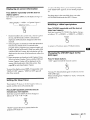
Press SLEEP repeatedly
minutes)
you want
until the time
(in
appears.
Each time you press SLEEP, the time changes
follows: 30 ---+60 --+ 90 --+ OFF.
as
SLEEP
"SLEEP" appears about one minute before the
projection TV shuts off.
Operations
I 21-EN