1
Chapter 2 Installing Backup Exec
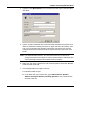
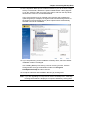
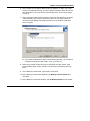
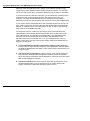
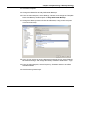
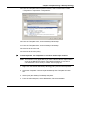
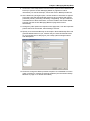
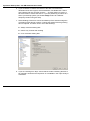
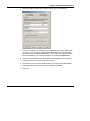
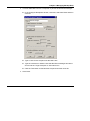
14. At the Symantec Backup Exec Features window, if you do not have a Tape
Library or Autoloader, deselect the option Enable Robotic Library Support.
To do this, select the disk icon next to the option, and from the drop-down
list select the cross icon, as illustrated below.
If any of the license keys you entered in the previous step included any
optional Agents (for example, the Agent for Microsoft Exchange Server or
the Agent for Microsoft SQL Server) those options will be automatically
selected in the list for installation.
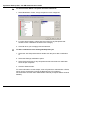
15. If you are performing a new installation of Backup Exec, leave the default
installation location unchanged.
If re-installing Backup Exec during a server recovery process, click the
Change button and type a Destination Folder of C:\Program
files\Symantec\temp\ and then click OK.
16. Accept the selection and installation directory by clicking Next.
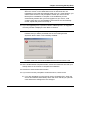
Note If you are upgrading from a previous version of Backup Exec, a Backup
Existing Data window is displayed. Accept the defaults by clicking Next.
13