1
REportfolio User Manual
•
•
•
•
•
V4.0 R1.0
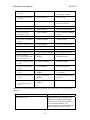
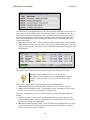
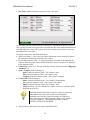
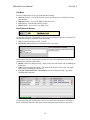
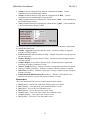
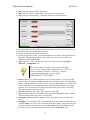
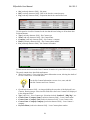
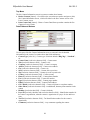
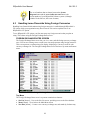
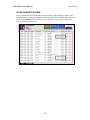
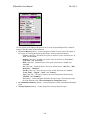
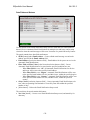
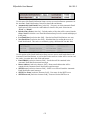
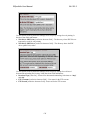
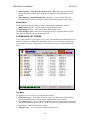
month, the last month, the next month, or for all months. The value displayed in this field
is determined by the for value list field that is on the line below.
[calculated character field] under the portal column Payment $ – Total of cost payments
for either the current month, the last month, the next month, or for all months. The value
displayed in this field is determined by the for value list field that is on the line below.
[calculated character field and value list] under the portal column Notes – Depending on
the value selected in the value list, displays:
− Annual cost per RSF when the value list is set to “Annual $ / RSF”
− Monthly cost per RSF when the value list is set to “Monthly $ / RSF”
− Total annual cost when the value list is set to “Total Annual $”
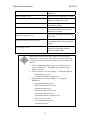
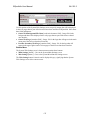
Show [value list] – The cost type for the costs and payments that are shown in the portal.
In addition to “All”, the selections in the value list are determined by the values entered
into the Cost Type value list in the portal.
for [value list] – Specifies whether all costs are shown in the portal, or just costs for the
last month, the current month, the next month. The corresponding selections are “All”,
“Last Month”, “Current Month”, or “Next Month”.
Show All [checkbox and button] – Causes costs and payments for all cost types and all
months to be shown in the portal.
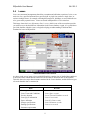
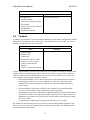
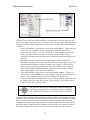
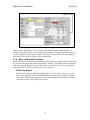
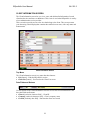
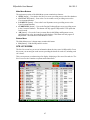
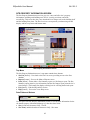
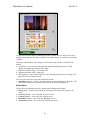
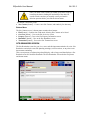
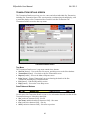
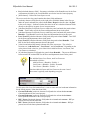
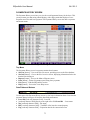
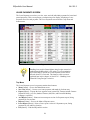
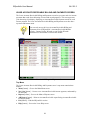
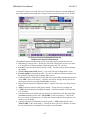
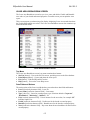
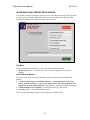
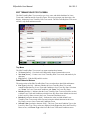
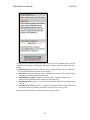
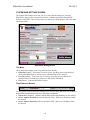
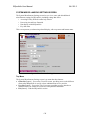
(Images\Snippets\Exported\lease-financial_2_PREV.gif) (PHASE3)
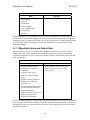
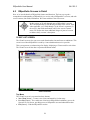
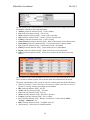
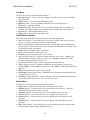
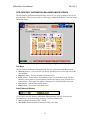
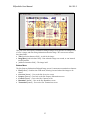
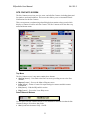
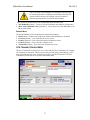
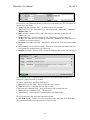
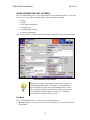
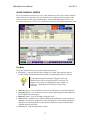
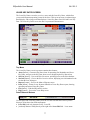
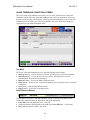
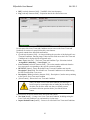
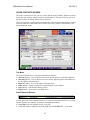
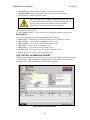
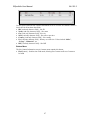
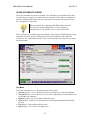
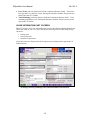
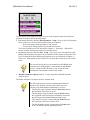
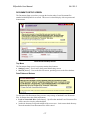
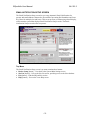
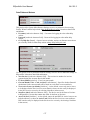
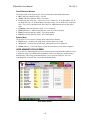
Use this part of the Lease Financial screen to access various lease financial information. It
has these data fields and buttons:
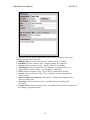
• Pro Rata Share [read/write character field] – The percentage of the site’s building
utilized by the leased or owned property
• Lease Type [value list] – The type of lease. Selections are “Net” for Net leases, “Full
Service” for Full Service leases, “Gross” for Gross leases, and “NNN” for Triple-Net
leases.
• Lease Total $ [calculated character field] – Total cost of the leased or owned property
• Total Remaining $ [calculated character field] – Total remaining unpaid costs for the
leased or owned property
• Annual interest rate [read/write character field] – Annual interest rate that is used for
the Net Present Value (NPV) calculation
• Lease NPV [calculated character field] – NPV for the lease or site location costs
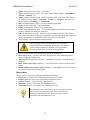
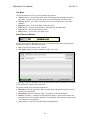
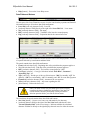
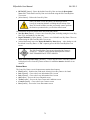
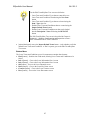
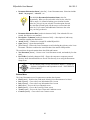
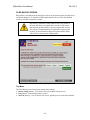
Net Present Value (NPV) is an approach where the present value
of cash inflow is subtracted from the present value of cash
outflows. NPV compares the value of a dollar today versus the
value of that same dollar in the future, after taking interest into
account.
• Base Rent Only [checkbox] – Specifies that only base rent, and no other costs, will be
used to calculate the values in the Lease Total $, Total Remaining $, and Lease NPV
fields
73