1
Overview
Overview ............................................................................................................... 2
Description of the toolbar ...................................................................................... 4
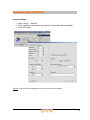
Set measuring conditions ...................................................................................... 6
Set measuring conditions ...................................................................................... 6
General settings ................................................................................................ 6
Display of settings ............................................................................................. 7
Loading of assortment ....................................................................................... 8
Create a basic formula .......................................................................................... 9
Create a correction ............................................................................................. 19
Create an ink leftover .......................................................................................... 27
Formulate with an ink leftover ............................................................................. 31
Enter a formula by hand...................................................................................... 36
Create a new formula folder................................................................................ 40
Search a formula: by name ................................................................................. 42
Search a formula: by smallest dE* ...................................................................... 44
Create a substrate .............................................................................................. 47
Back-up a database ............................................................................................ 50
Restore a database............................................................................................. 51
Settings: General ................................................................................................ 52
Settings: Formulation .......................................................................................... 53
Settings: Display ................................................................................................. 54
Settings Batching systems .................................................................................. 55
Settings: SPM ..................................................................................................... 57
2